Skip to content

Automated campaigns — the club calls guests back

A guest hasn’t been in for two weeks, their bonus points are about to expire, a newcomer just made a first visit — the ERP sends them a message with a gift via Telegram, MAX, the app or SMS. The report shows who came back and how much they spent.

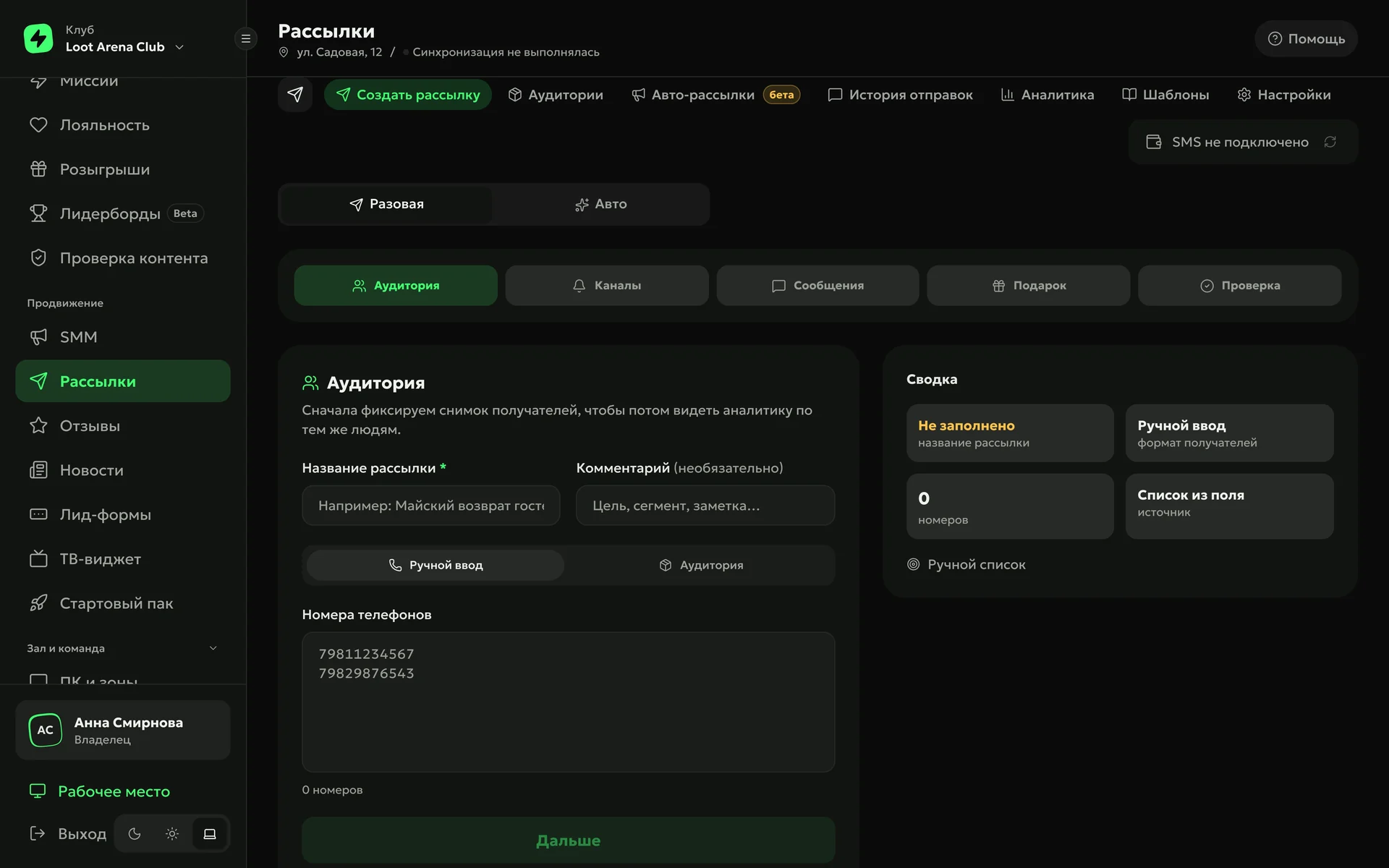
ERP, “Campaigns”: a new campaign step by step — audience, channels, message, gift and review

The ERP knows whom to invite

Sort

Every morning the ERP splits the guest base into six audience health groups: at risk, returned, on track, newcomers, lost and never visited. A guest is at risk once their absence runs longer than 2.5 of their usual gaps between visits.

  • Valuable guests10+ visits or spend in the club’s top 20% — a separate slice
  • Lostby recency: up to 90 days, up to a year and longer
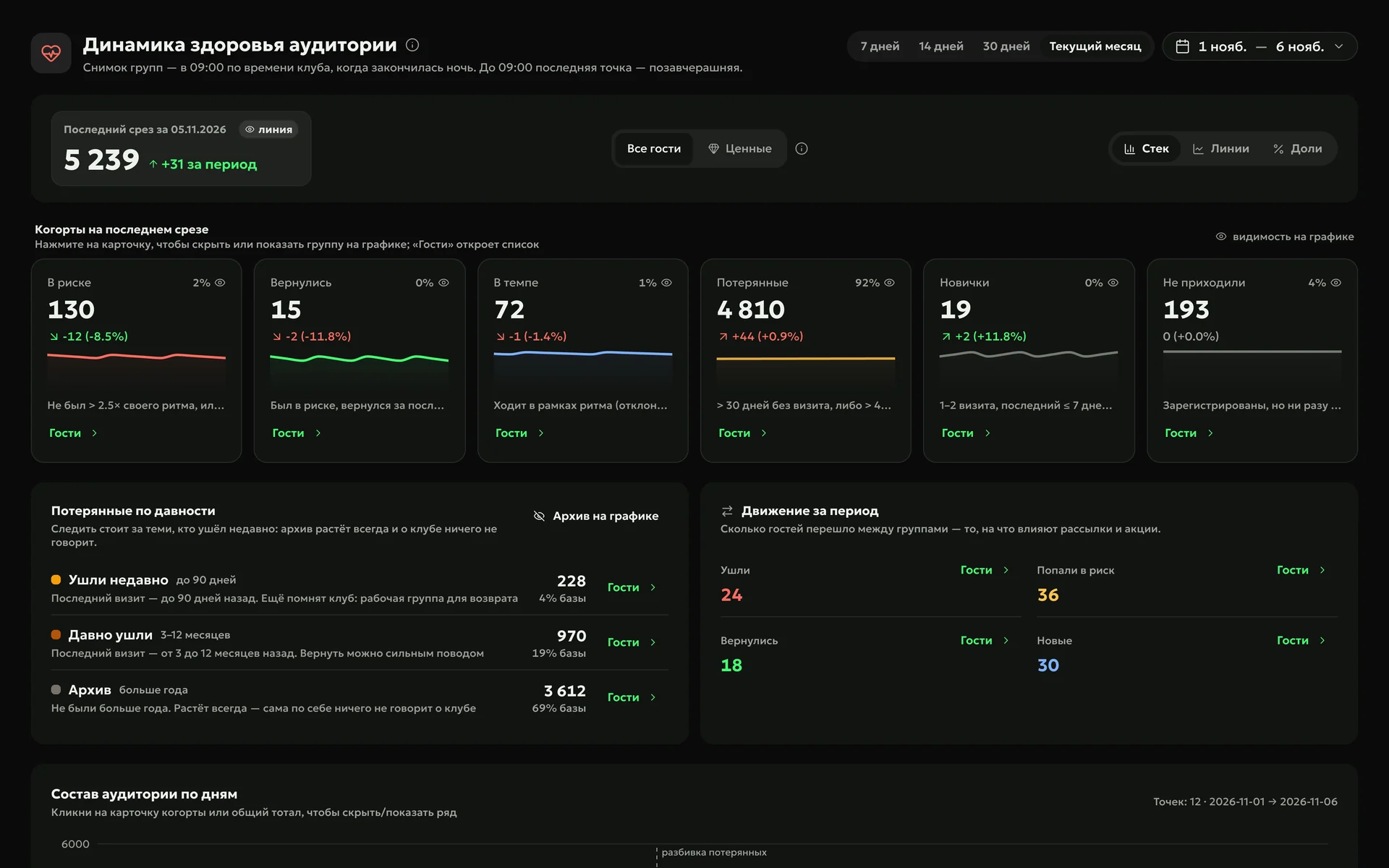
ERP, “Audience health trend”: 5,239 guests, 130 at risk, lost guests by recency and movement between groups over the period

Invite

Ready-made automated campaigns pick guests by themselves — “visited once yesterday”, “away for 14 days”, “birthday in 3 days” — and message each guest once per cycle. For a one-off campaign you can also build an audience by hand by ticking guests in the base.

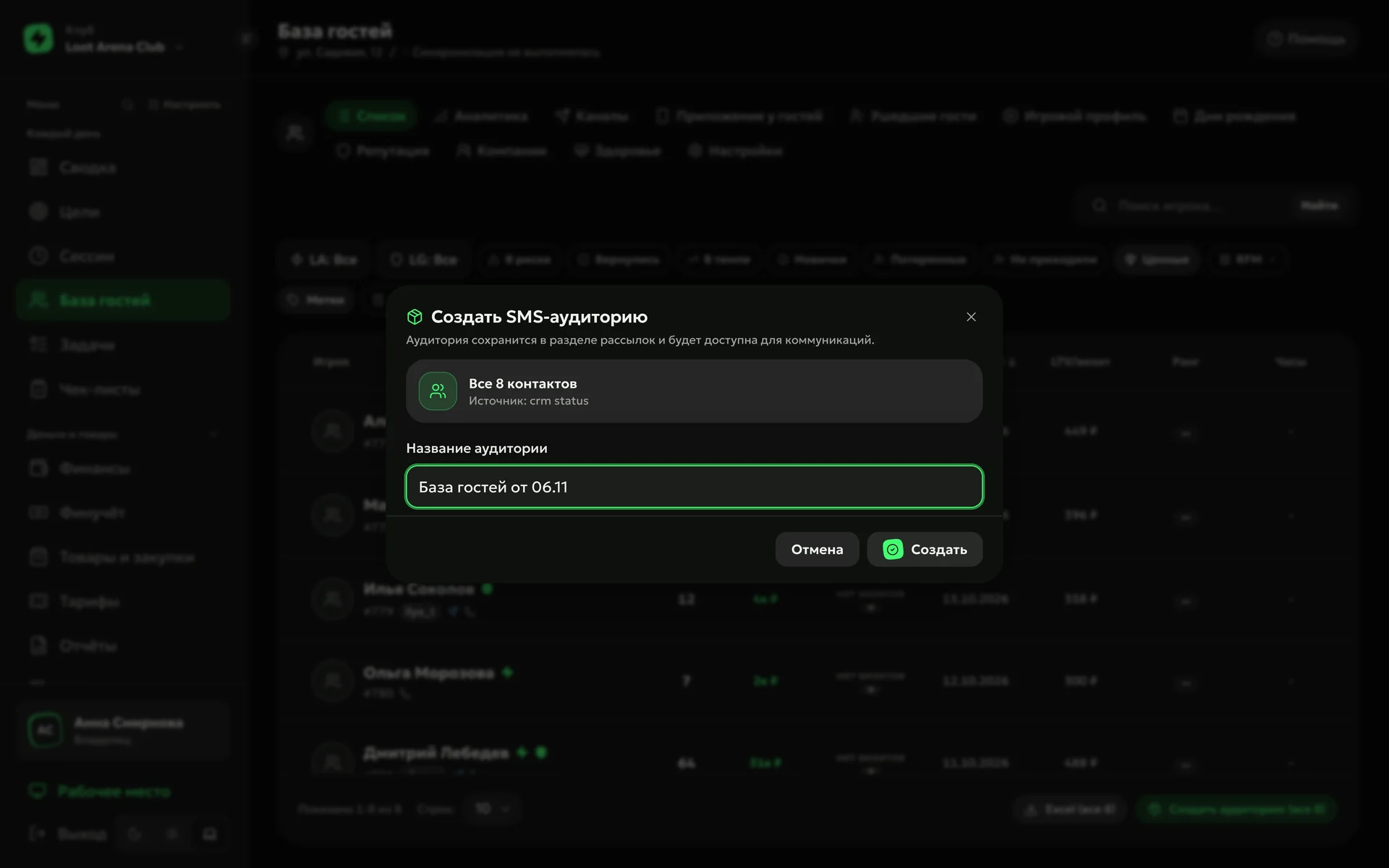
ERP, guest base: “Create SMS audience” from selected guests
ERP, “audience health” strip: at risk, away for a while, new, returned

Gift

A gift comes with the message: bonus points, cash on the guest’s balance or an item from the bar. In Telegram and MAX a “Claim gift” button sits under the text; the gift goes to the guest’s inventory and opens right away or after a delay you set.

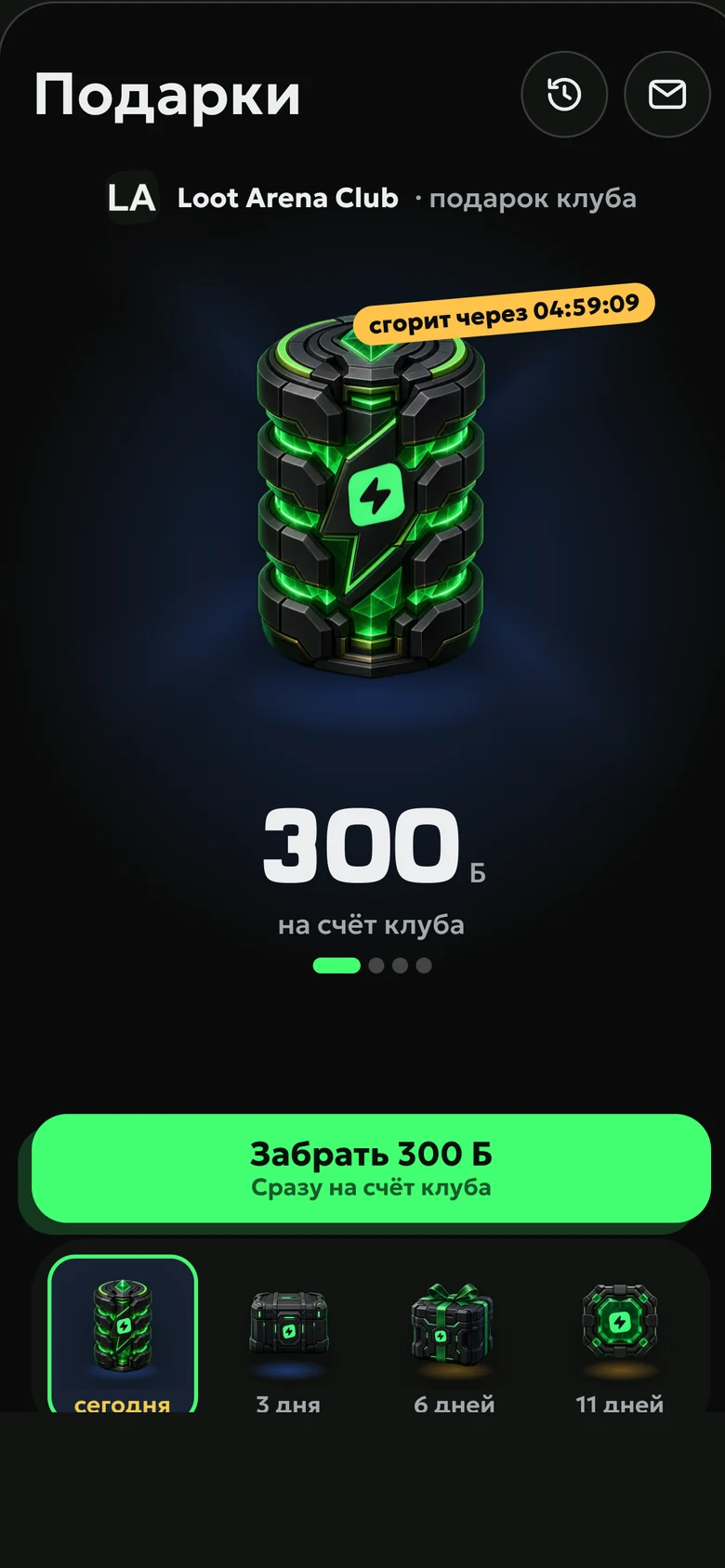
A club gift in the app: 300 bonus points on the club balance, expires in 5 hours — a button to claim them

Deliver

The campaign goes where the guest is: Telegram, MAX, push and the app chat. SMS can go only to guests without a messenger, and under each channel you see how many guests it reaches. Guests get crystals ✦ from Loot Arena for connecting Telegram and MAX.

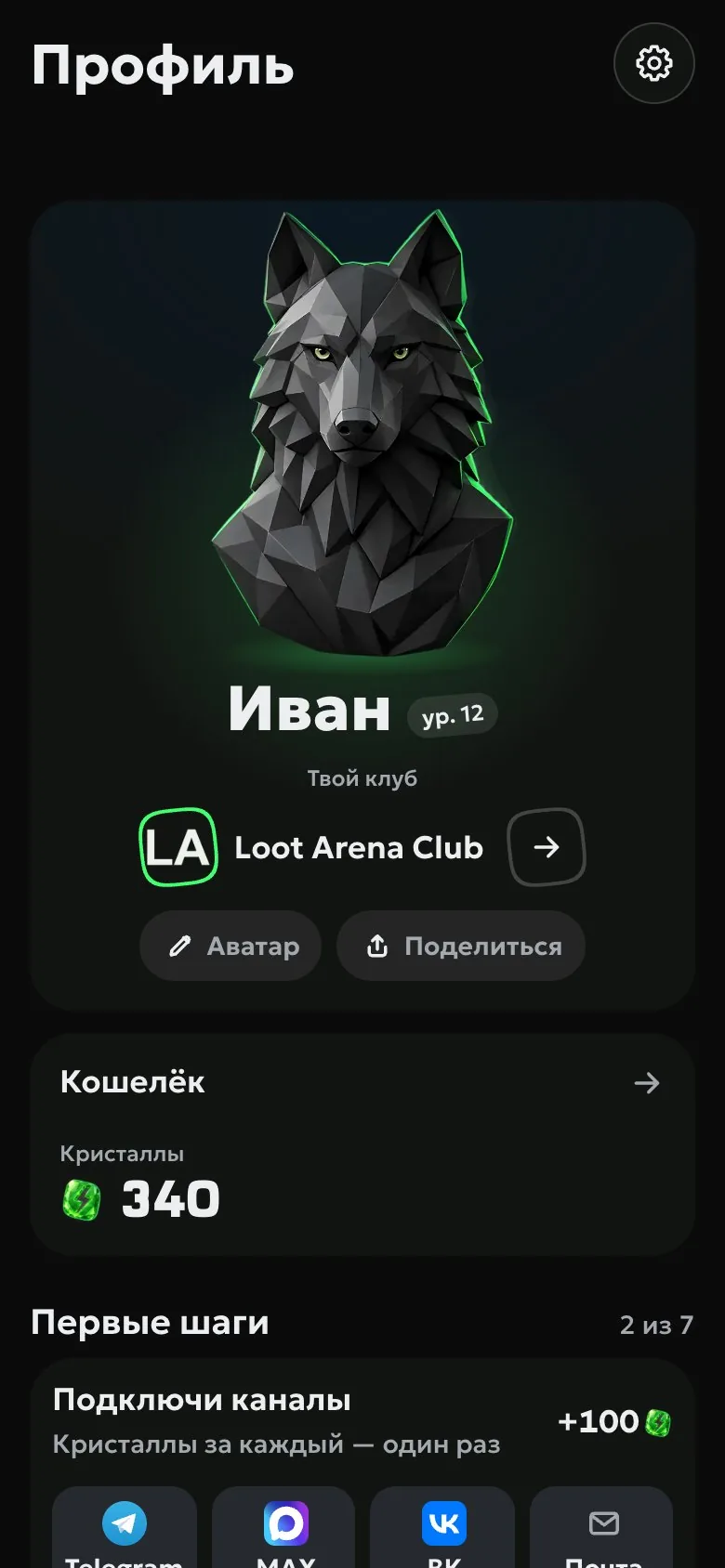
Guest profile in the app: wallet, crystals, connected channels and first steps

This is what the guest sees

Three audiences, three messages with a gift: a guest at risk, a second visit, a first visit. The gift lands in the app, and the visit counts by itself.

14days without a visit — usually comes once a week

Loot Arena Club

Ivan, it’s been a while. 300 bonus points are waiting for you until Friday.

  • At risk2%

    130

    ↘ −12 (−8.5%)

    Away longer than 2.5× their usual rhythm

    Guests
  • Back0%

    15

    ↘ −2 (−11.8%)

    Was at risk, came back

    Guests
  • On track1%

    72

    ↘ −1 (−1.4%)

    Visits at their usual rhythm

    Guests
  • Lost92%

    4,810

    ↗ +44 (+0.9%)

    No visit in over 30 days

    Guests
  • Newcomers0%

    19

    ↗ +2 (+11.8%)

    1–2 visits, the last within 7 days

    Guests
  • Never came4%

    193

    0 (0%)

    Signed up but never came

    Guests

How to start

  1. Connect your shell

    Your club’s shell is the billing software such as LanGame, SmartShell, Gizmo or iCafeCloud. Guests’ visits and spend reach the ERP by themselves, and audiences are built from them.

  2. Turn on the ready-made rules

    “Loot Arena recommendations” create a set of automated campaigns at once; the gift and the text are yours.

  3. Connect SMS if you need it

    Telegram, MAX and the app work right away; SMS go through your own MTS Marketolog or RedSMS account.

Owners’ questions

Didn’t find the answer? Message us in Telegram — the product team replies.

@loot_arena_support
Which channels do campaigns go to?

Telegram, MAX, push and chat in the Loot Arena app, and SMS. The guest gets the message where they’re connected, and SMS can go only to guests without a messenger.

How much does sending cost?

Telegram, MAX and in-app messages are included in the Marketing module. SMS are billed at the rates of your MTS Marketolog or RedSMS account, and the ERP shows the estimate before sending.

How do I know a campaign worked?

By guests’ visits and revenue in the 7, 14 or 30 days after sending. “Campaign credit” shows how many of them would have come anyway, based on your club’s history for guests with the same gap.

Won’t guests get tired of the messages?

No. A ready-made rule messages a guest once per cycle, and you choose when it sends. Each channel shows its reach, and you can switch off one you don’t need.

Who warns guests that their bonus points expire?

The ERP: a system campaign reminds the guest in advance and writes off the remainder in the shell on the due date. Only bonus points from gifts with an expiry date expire.

Try Loot Arena

7 days on your club’s data: the shell integration by API is already set up, and every feature is open with no limits. It all happens by itself — your access arrives by email.

Who are you?
I play at a clubMissions and rewards live in the free Loot Arena app. No demo needed.