A program on every gaming PC in the club: it updates FACEIT, notices a missing mouse, overheating and blue screens, and keeps monitors at their full refresh rate. FACEIT updates right away on free PCs, and on busy ones once the guest gets up.
PC passportCPU, GPU, memory, drives, monitors, motherboard and BIOS of every PC — no manual entry.
PeripheralsA mouse, keyboard or headset unplugged or swapped — the ERP sees it within seconds.
Overheating and crashesCPU and GPU overheating, blue screens, a frozen game — all in the PC crash log.
Monitor refresh rateA monitor dropped to 60 Hz after a reboot — the agent restores the maximum refresh rate by itself.
Game and agent updatesSees where a Steam game is behind the new build and, on PCs with their own drive, updates it at night. The agent updates itself.
Sleep and wakeFree PCs go to sleep by schedule and zone, and a booked PC wakes up 15 minutes ahead — the ERP shows the money saved.
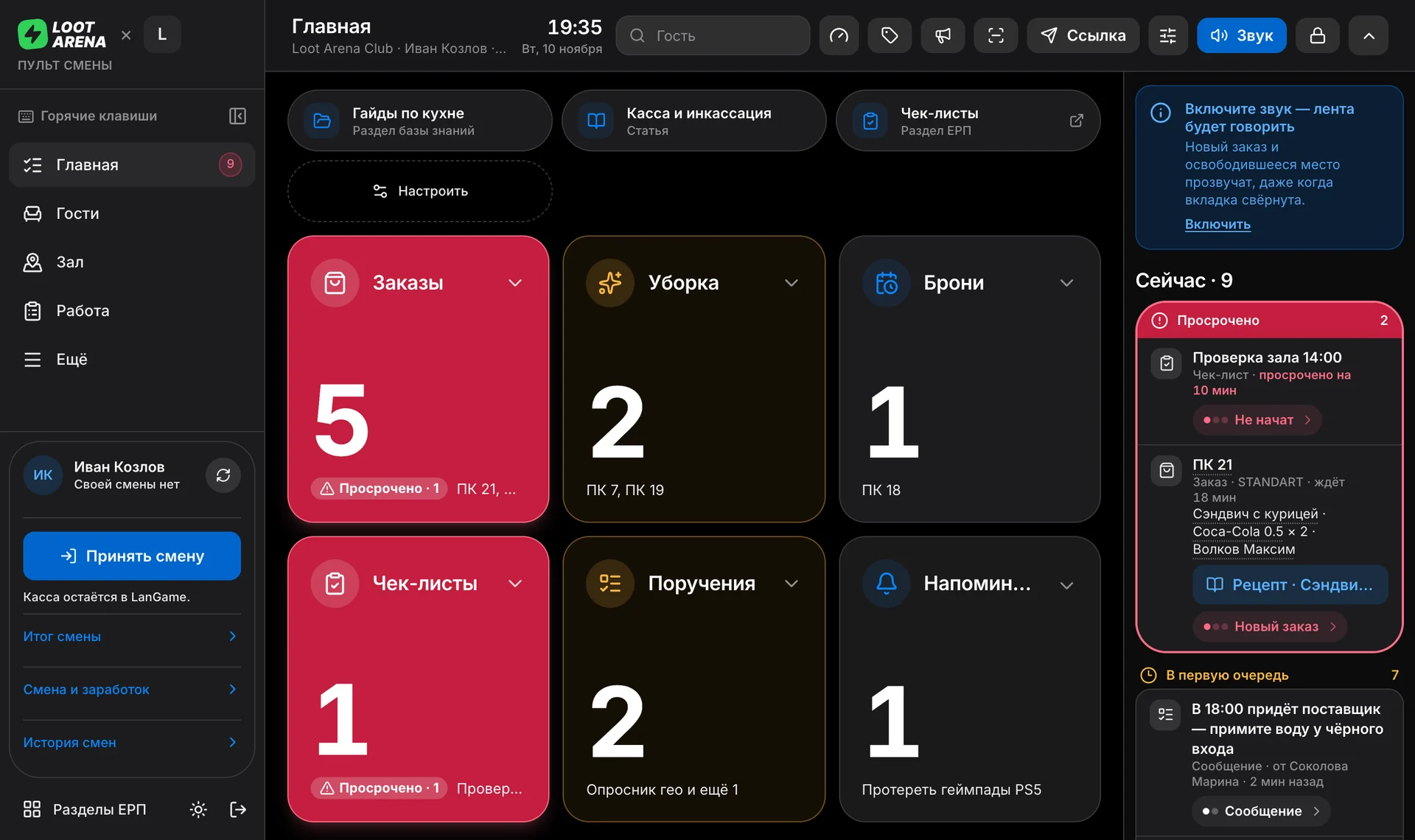
Console on the admin PCThe shift console in the agent’s window: it never falls asleep and plays sounds by itself. With the Operations module.
What the agent does by itself
Update
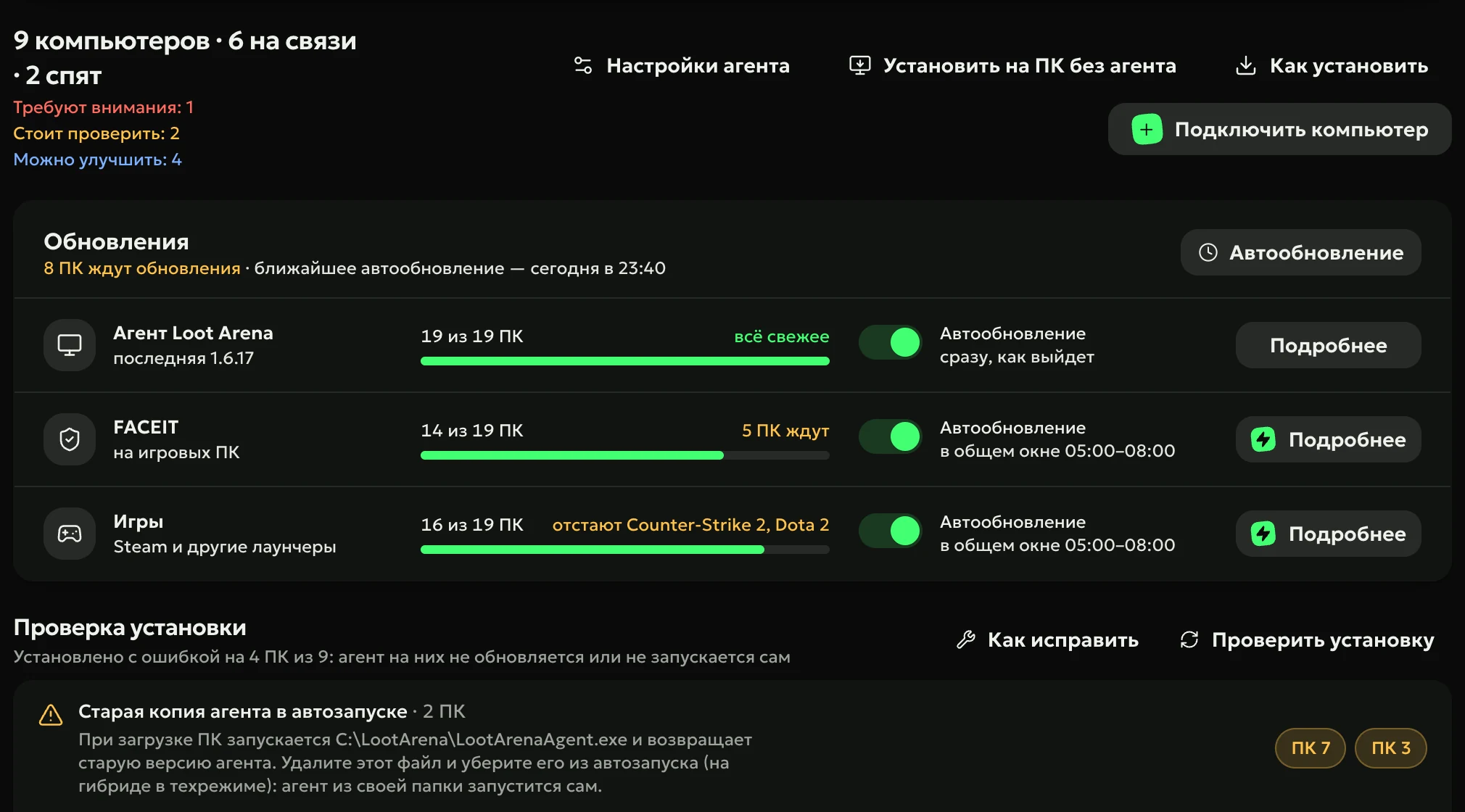
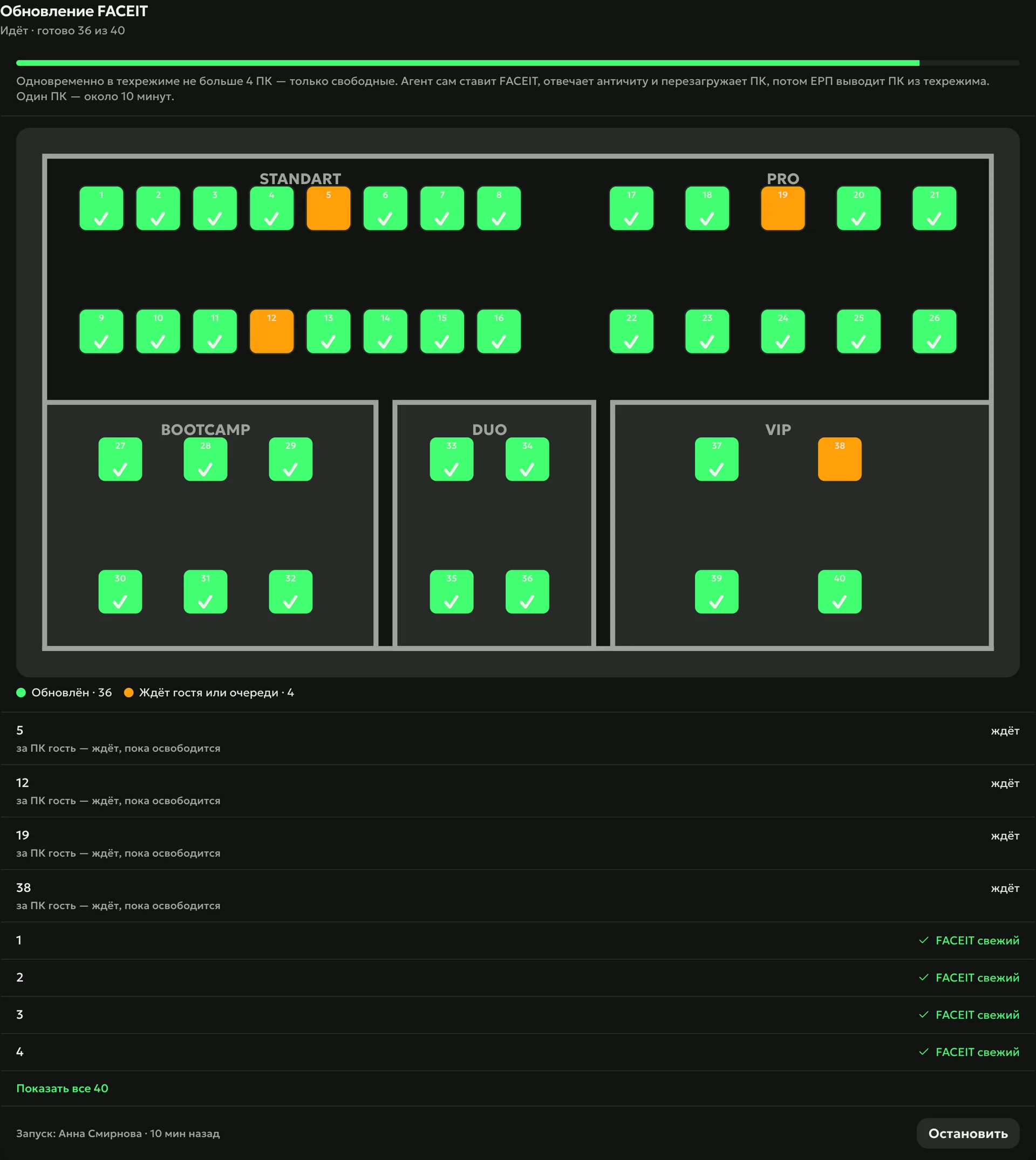
A FACEIT update is out — the agent updates free PCs by itself, and busy ones wait until the guest gets up: the ERP checks with your club’s shell, the billing software, who is sitting at the PC. After the wave, the club chat gets a report on which PCs updated and which didn’t, with the reason.
FACEITfree PCs right away, busy ones after the guest
Gamessees which PCs have a Steam game behind the new build
Agentupdates itself
Know
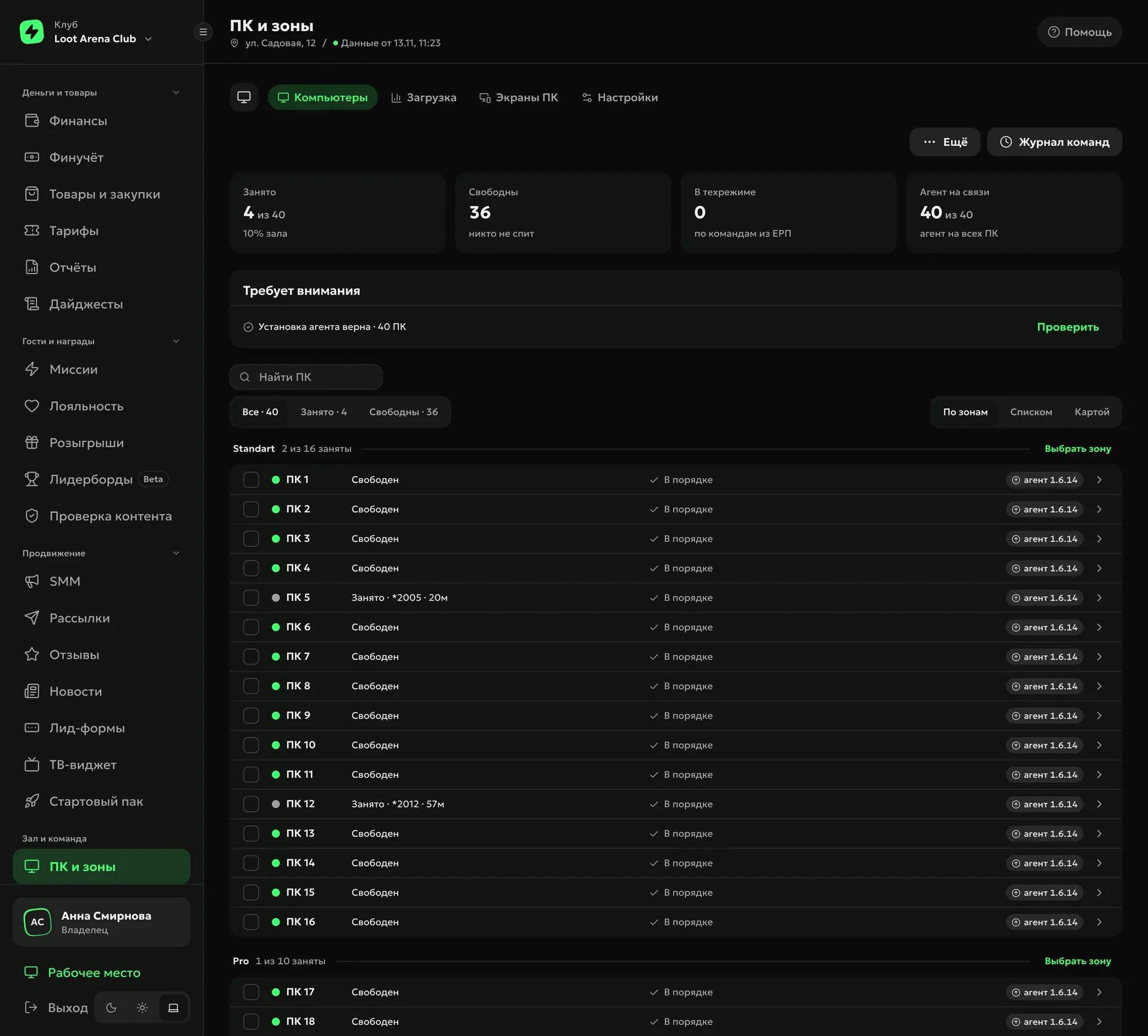
Every PC has a passport: CPU, GPU, memory, drives, monitors, motherboard and BIOS. The agent collects it by itself, and the ERP shows which PC is busy and for how long, where the agent is online and whether everything is fine.
Notice
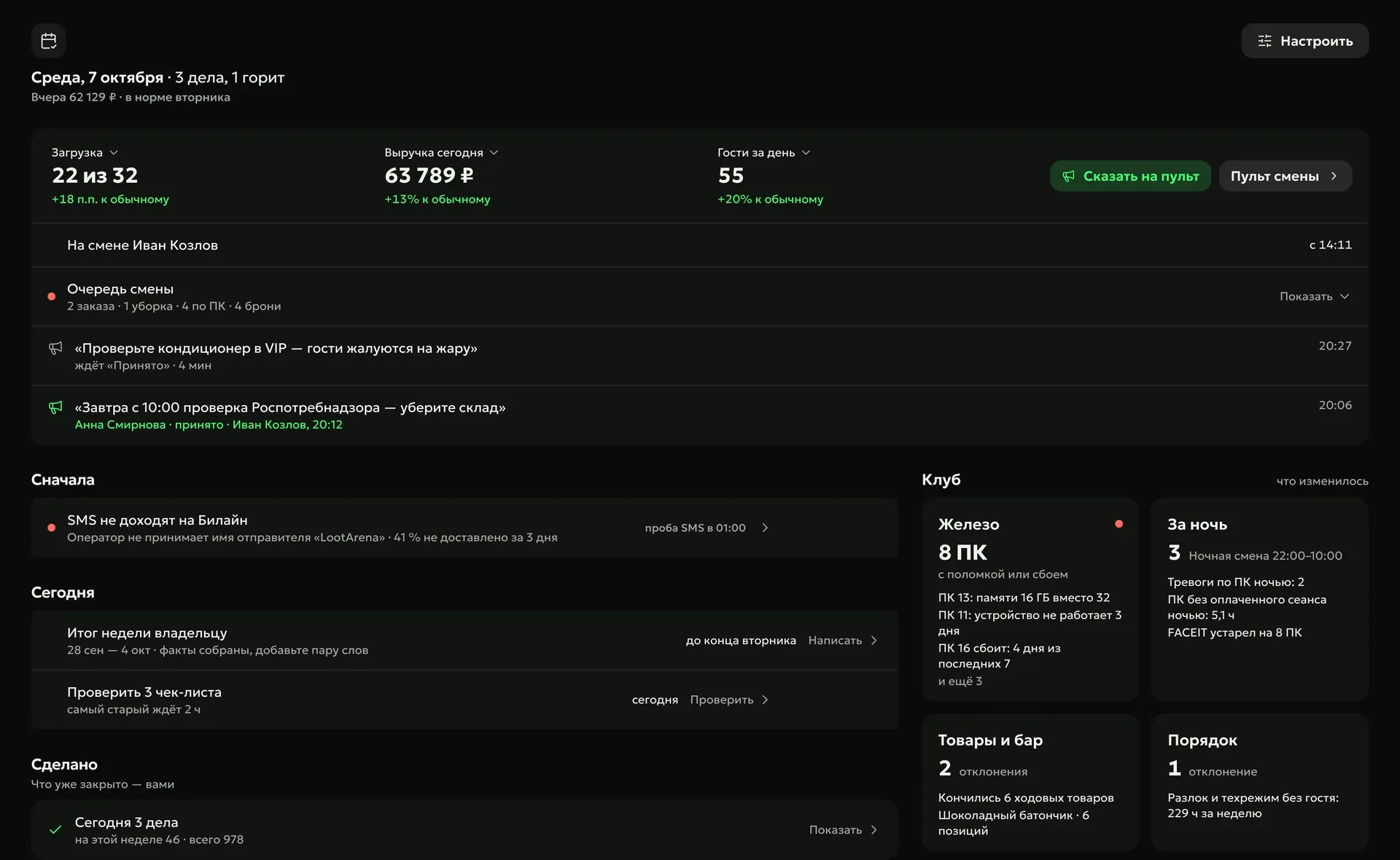
Someone unplugged a mouse — the ERP sees it within seconds. The agent catches CPU and GPU overheating right away and logs blue screens and frozen games in the crash log. With the Operations module a breakdown becomes a job on the shift console, and the next morning a line in “My Day”.
Peripheralsmice, keyboards, headsets, monitors — unplugged or swapped
Overheatingthe CPU throttles, the GPU runs hot
Crashesa blue screen with its code, a frozen game, why the PC last shut down
Monitorsdropped to 60 Hz — the agent restores the maximum
Watch
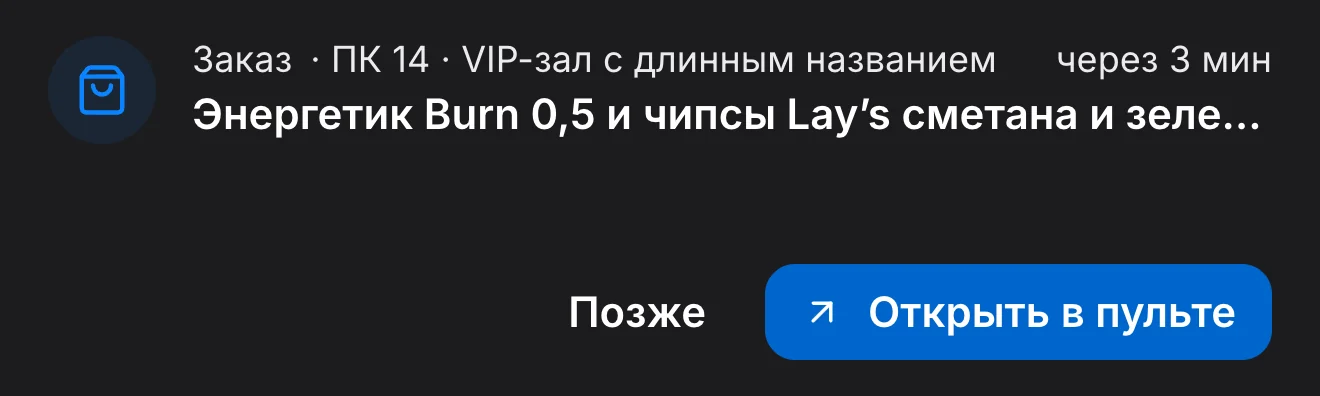
On the admin PC the agent keeps the shift console in its own window: it doesn’t fall asleep like a browser tab and plays sounds by itself. A new job pops up as an island over all windows. Works with the Operations module.
Press “Update” — just like on release night
A new FACEIT version is out: idle PCs update by themselves, busy ones wait until the guest finishes. Try it — the scene runs on real data from one night.
FACEITa new version is out — the agent updates by itself
60of 60 PCs updated
The agent notices a new FACEIT version by itself and updates idle PCs right away, busy ones as soon as the guest gets up. The admin doesn’t walk the hall — the guest sits down and plays.
168PCs updated on release night, November 6 — not one got stuck
7 minon average from the “Update” button to a ready PC
≈5 minafter a build is out, the agent already knows — a voiced task in the console and a message in the club chat
1
2
3
4
5
6
7
8
9
10
11
12
13
14
15
16
17
18
19
20
21
22
23
24
25
26
27
28
29
30
31
32
33
34
35
36
37
38
39
40
41
42
43
44
45
46
47
48
49
50
51
52
53
54
55
56
57
58
59
60
168
PCs got the FACEIT update on release night, November 6 — none got stuck
Clubs with the PC Agent, FACEIT release night, November 6, 2026 — Loot Arena channel for clubs
7
7 days of Loot Arena — on your club’s data
Integration already set upLoot Arena is connected to your shell by API — club data flows in by itself
On your own datayour guests, sessions, bar and shifts — from day one
Full accessall modules and the PC Agent, no limits, no invoice or payment details
Pricing — by module
Pick modules and the number of PCs — the price adds up by itself. Clubs with up to 25 PCs get one module free.
Up to 25 PCs — one module free
With any module
Guest app
Guest profile in the ERP
Mobile admin workplace
AI posters — for AI credits
Bonus shop — with Marketing, Operations or the PC Agent
7 days — all modules and the PC Agent, no invoice. The admin PC is free.
Chain HQ — for owners of several clubs and franchise management companies: club comparison, shared guest profile, common standards, delegated roles. Terms on request.
FACEIT auto-update, a passport for every PC, monitoring of peripherals, overheating and crashes, monitor refresh rate, game and agent updates, and sleep for free PCs until a booking. With Operations, breakdowns arrive on the shift console as jobs, and the console runs in the agent’s window on the admin PC.
How much does the PC Agent cost?
$3 per gaming PC a month, $1.50 with any ERP module. We count the gaming seats in your shell: the club marks consoles and TVs as exceptions, and the admin PC isn’t counted.
Do I need to change my shell?
No. The agent installs on the PCs on top of the club’s shell. FACEIT updates across the hall work on LanGame and SmartShell: the ERP checks with the shell who is at the PC and doesn’t touch a PC with a guest.
How do I install the agent on every PC?
The first PC connects with a code from its screen. Then the ERP puts free PCs into tech mode (on SmartShell — elevated access) 10 at a time, and the admin opens the agent file on each: the PC connects without a code and goes back to the hall.
Will the agent interfere with games or anti-cheat?
No. The agent runs without drivers or services: it doesn’t read game memory, intercept input or capture the screen, and an automated test checks this on every build. While a game is running, the agent changes nothing on the PC.
Try Loot Arena
7 days on your club’s data: the shell integration by API is already set up, and every feature is open with no limits. It all happens by itself — your access arrives by email.

 FACEIT