Skip to content

Club operations — without the busywork

Shift console, checklists, payroll, purchasing, inventory counts and the finance ledger: what your manager and admins kept in their heads, the ERP now does by itself — on data from your club’s shell, the billing software such as LanGame, SmartShell, Gizmo or iCafeCloud.

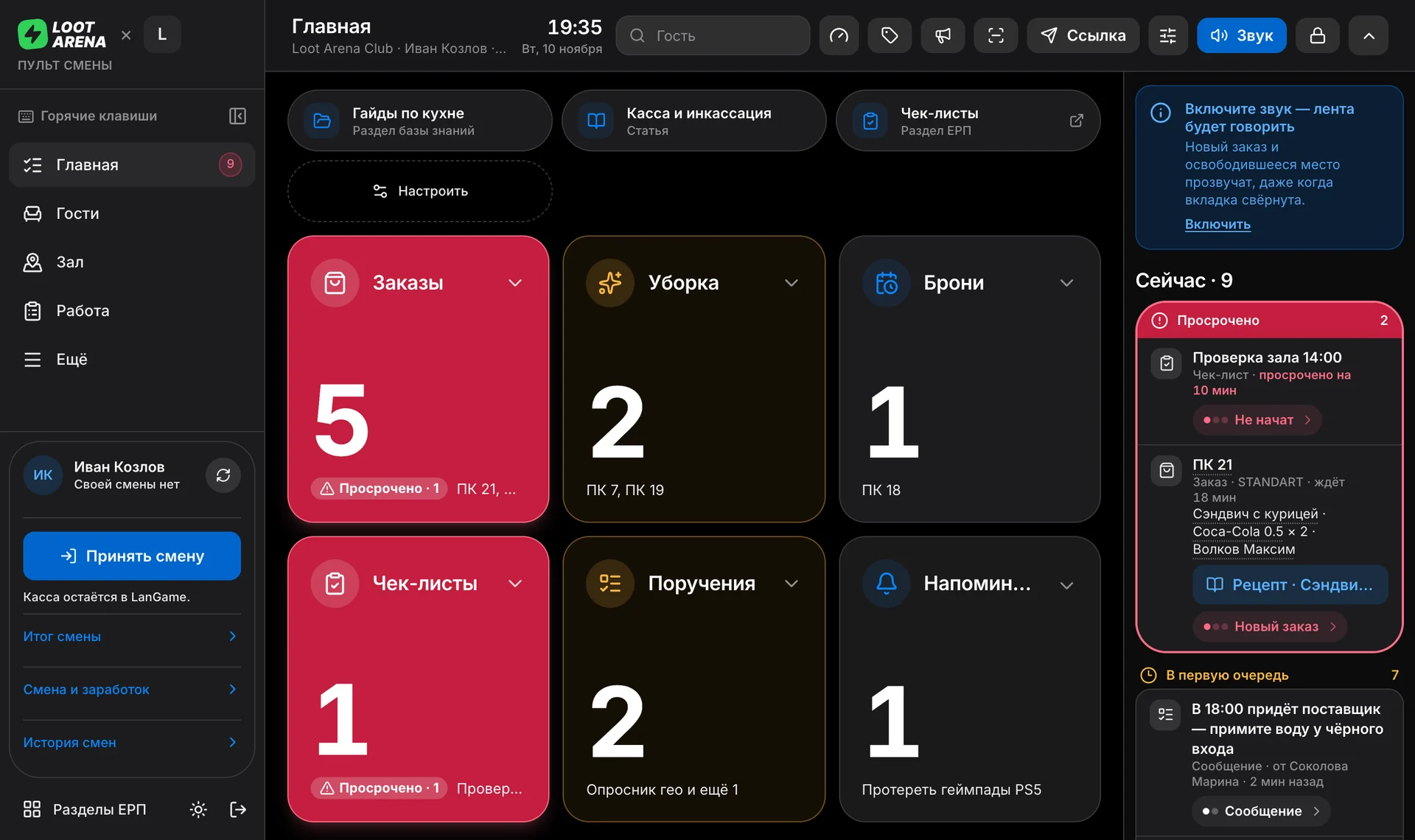
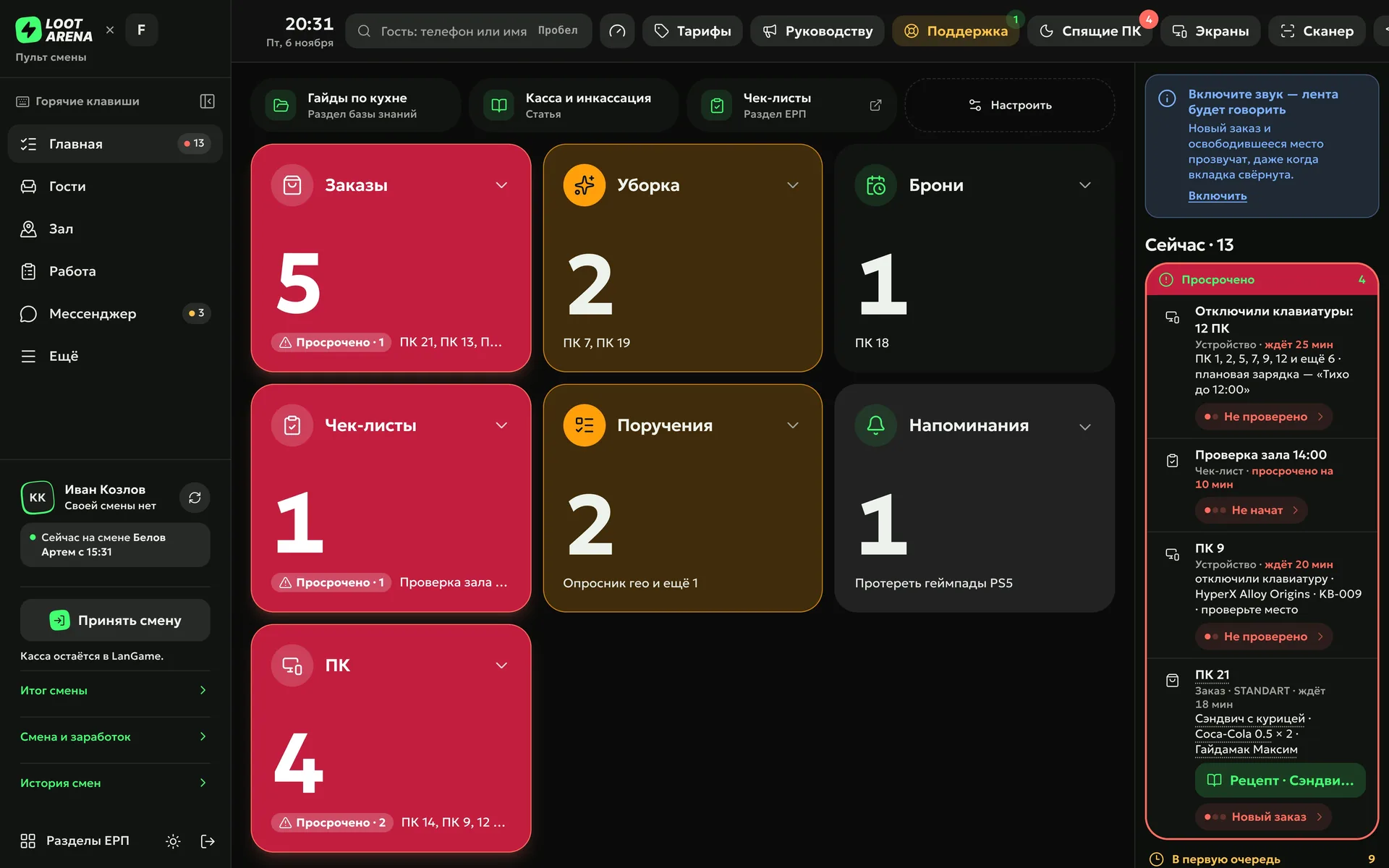
Shift console in the ERP: orders, cleaning, bookings, checklists, assignments and the “Now” feed
Mobile admin workplace: the shift, “Now” tasks, my earnings by line and the shift mission

What the ERP does by itself

Remind

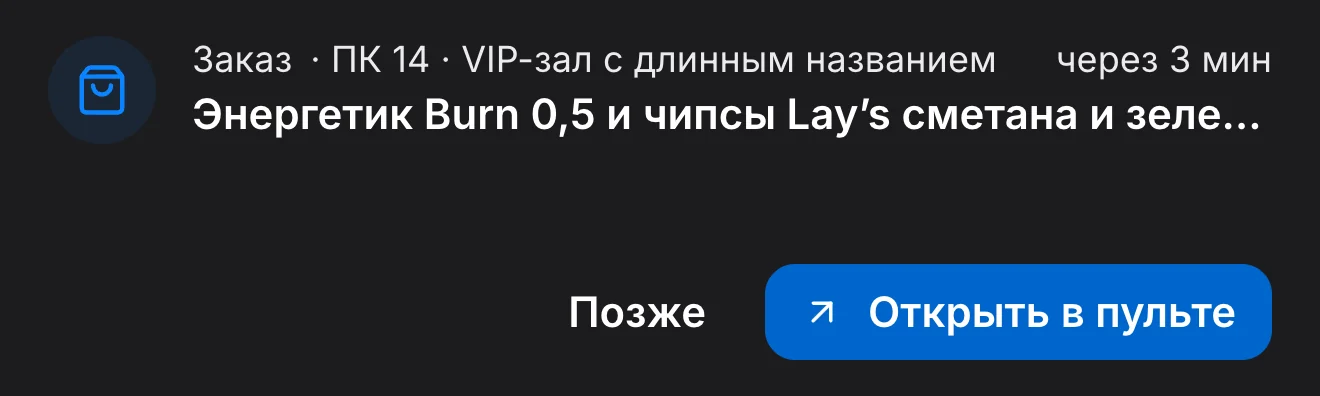
A bar order, cleaning, a booking, a checklist — every shift task lands in the shift console feed with a sound. The console reads it out loud and repeats it every 2 minutes until someone takes it. On the admin PC, a small island with the new task stays on top of all windows.

Shift console in the PC Agent window on the admin’s computer: task queues and the “Now” feed
The console island on top of all windows: a new task with sound and the “Later” and “Open in console” buttons

Accept

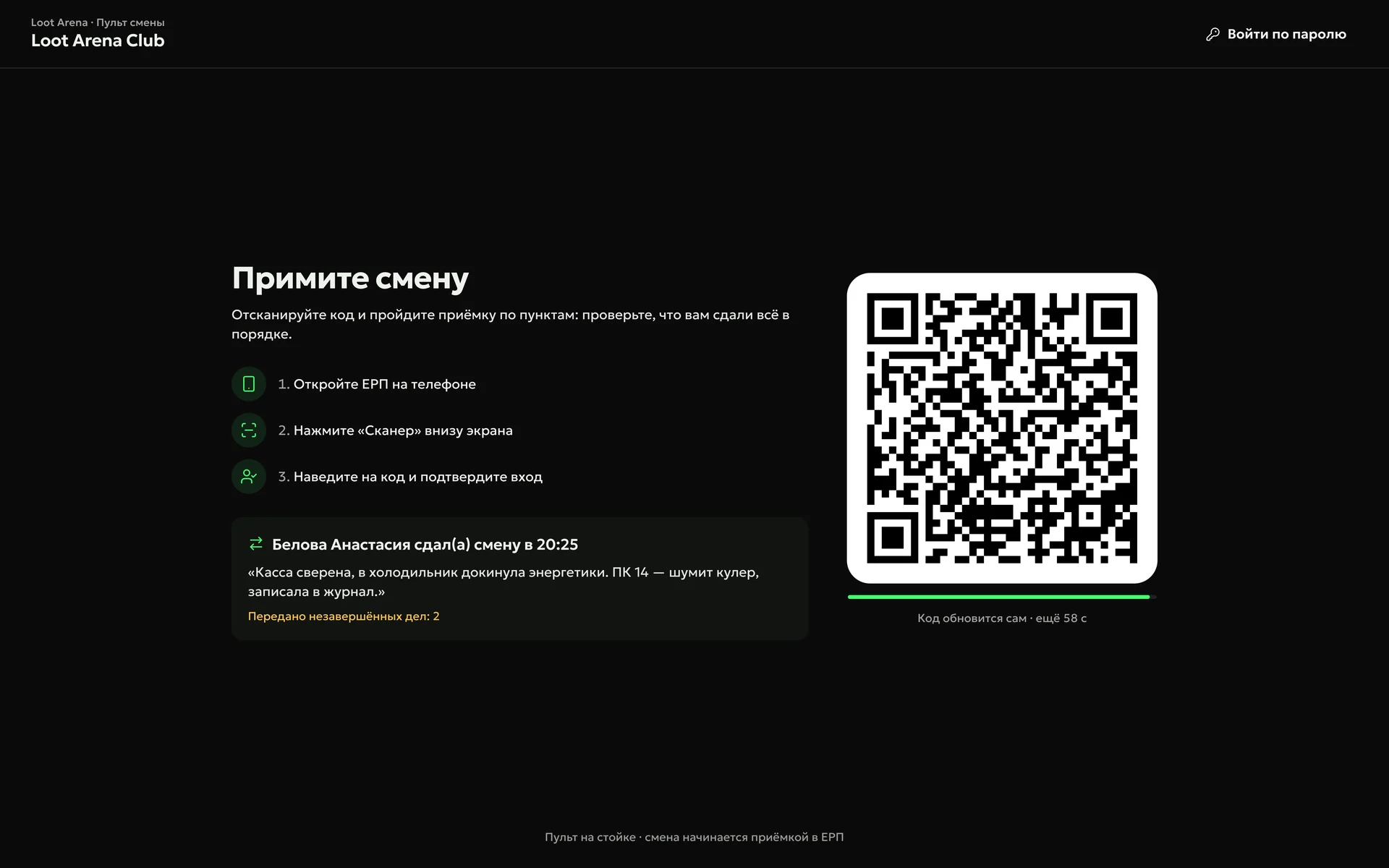
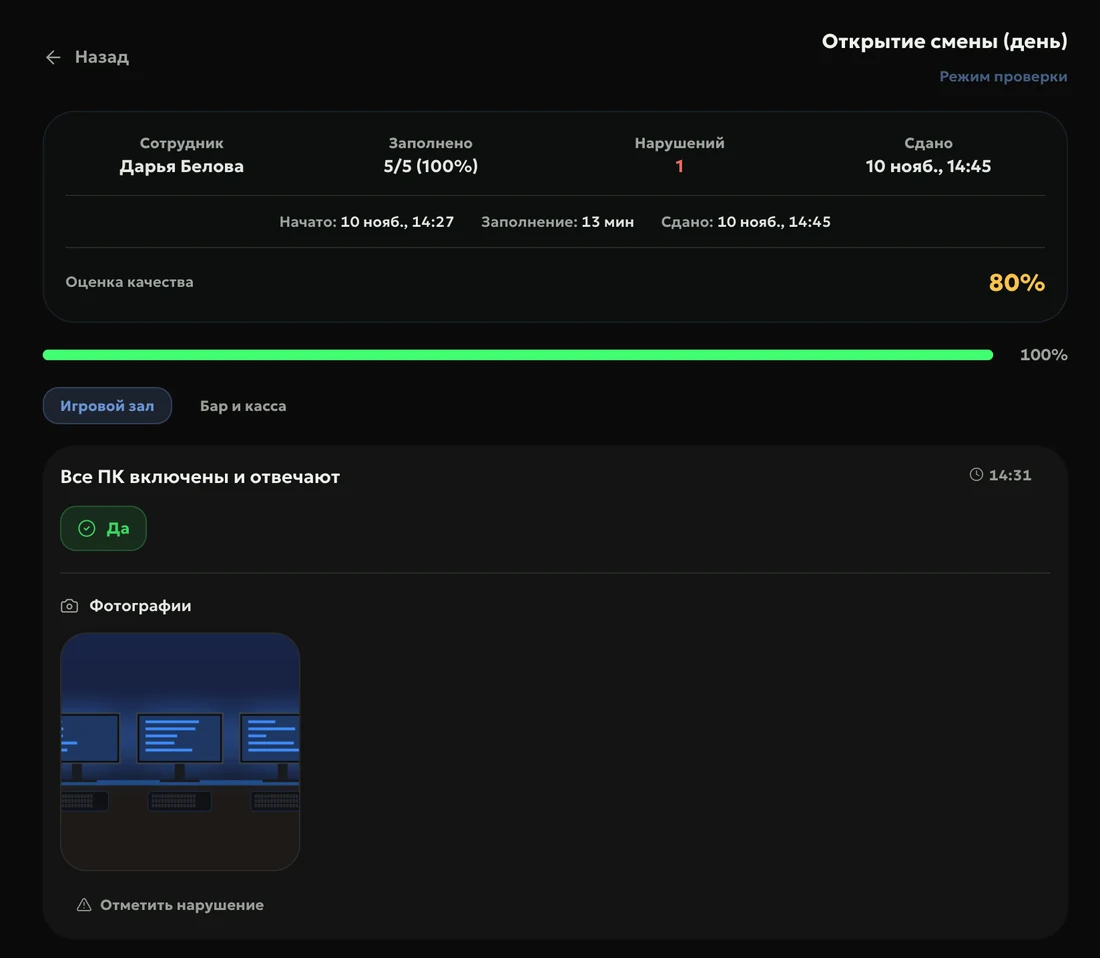
The next admin accepts the shift by scanning a QR code with their phone: you see who handed it over and what they passed on. Opening follows a checklist with photos, and the manager reviews it in one click.

Shift console: “Accept the shift” — a QR code to accept from a phone and the previous shift’s note
Shift opening checklist under review: 5 of 5 items with photos, quality score 80%

Calculate

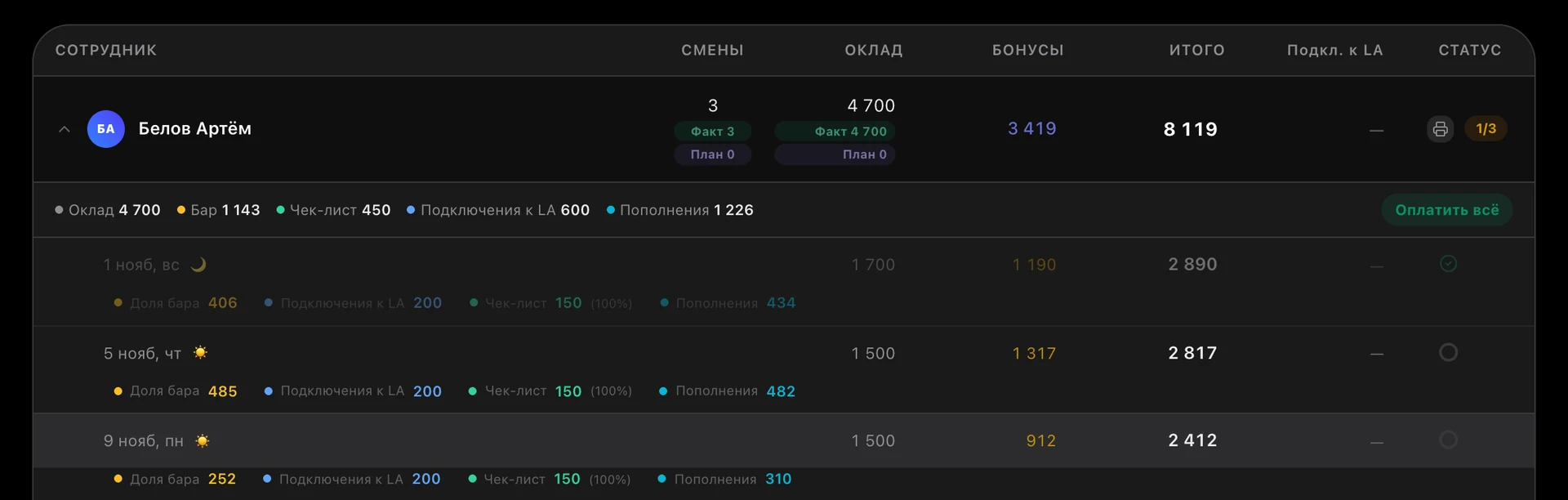
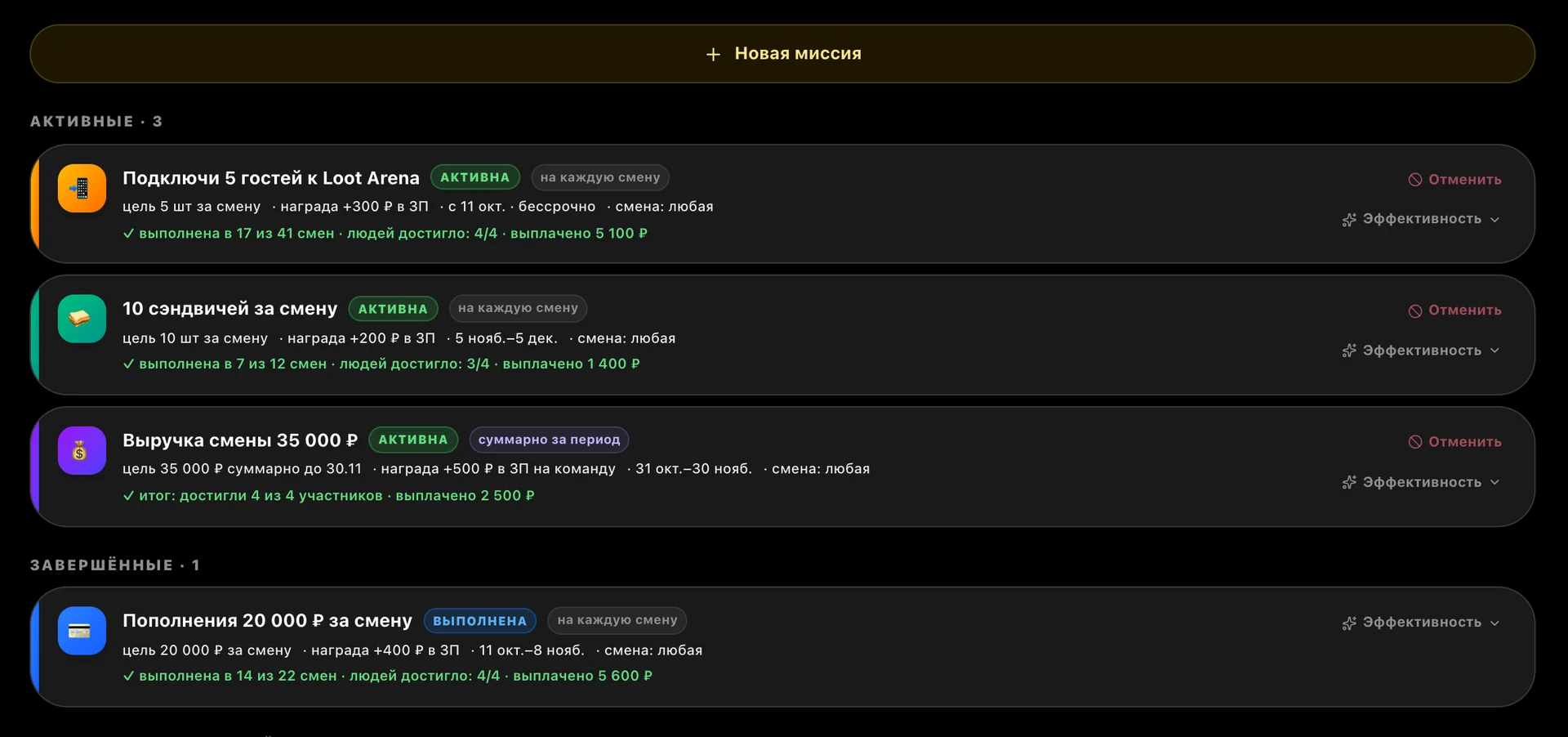
Payroll calculates itself from the shift schedule and shell data: base pay per shift or per hour, bonuses for the bar, top-ups, checklists and guests signed up to Loot Arena, fines and advances. Missions for admins add a goal for the shift and a reward straight into pay.

ERP, payroll: an admin — 3 shifts, base pay 4,700, bonuses 3,419, total 8,119; per shift — bar, Loot Arena sign-ups, checklist and top-ups
ERP, “Team missions”: sign up 5 guests — +300 ₽ to pay, 10 sandwiches per shift — +200 ₽, shift revenue 35,000 ₽ — +500 ₽ for the team

Count

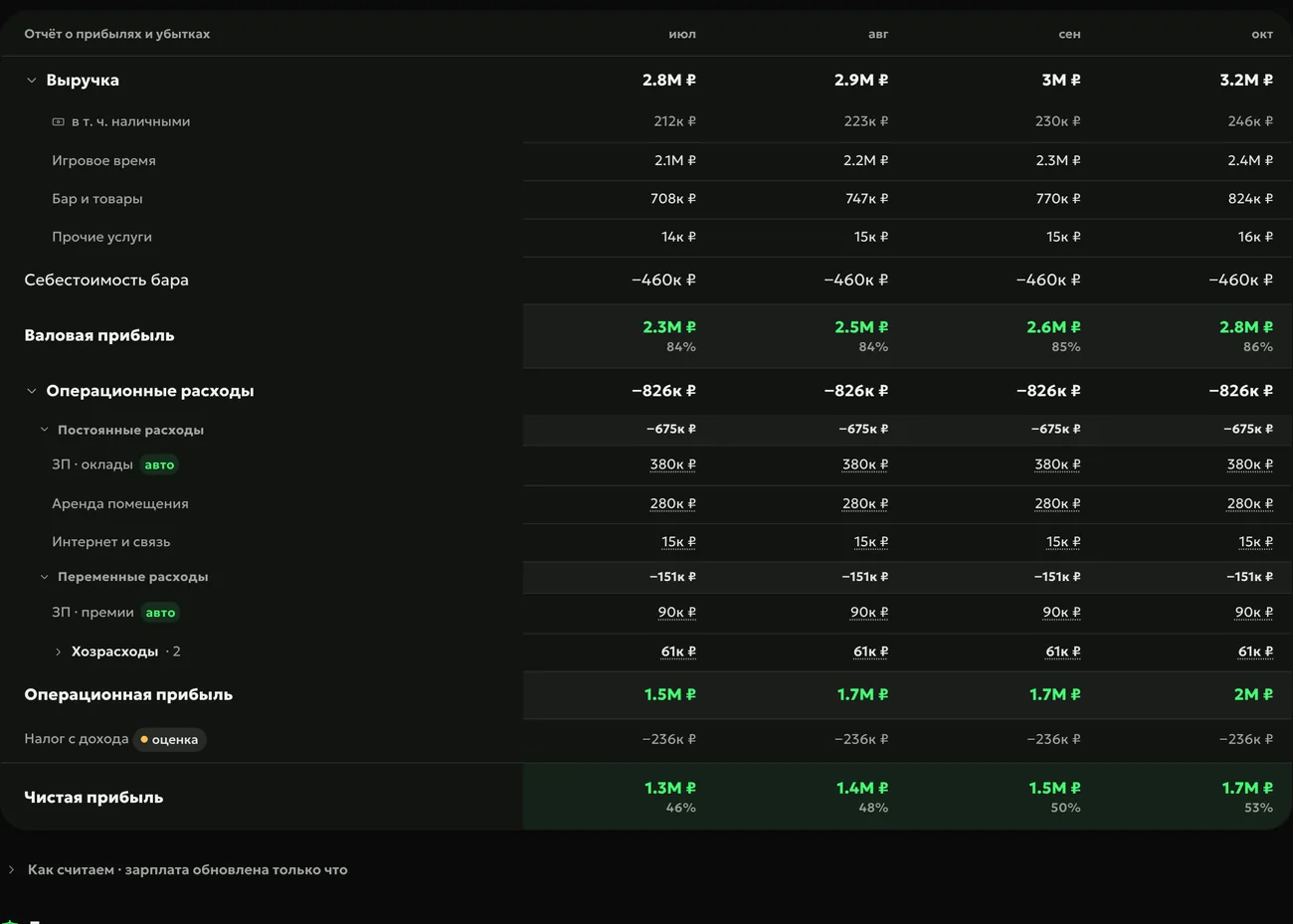
The finance ledger reads the bank statement and the cash register by itself: cash flow, profit and loss by month and the payroll you still owe — no spreadsheets.

ERP: finance ledger — profit and loss statement by month

7 days of Loot Arena — on your club’s data

  1. Integration already set upLoot Arena is connected to your shell by API — club data flows in by itself
  2. On your own datayour guests, sessions, bar and shifts — from day one
  3. Full accessall modules and the PC Agent, no limits, no invoice or payment details

Pricing — by module

Pick modules and the number of PCs — the price adds up by itself. Clubs with up to 25 PCs get one module free.

  • 30

    Up to 25 PCs — one module free

With any module

  • Guest app
  • Guest profile in the ERP
  • Mobile admin workplace
  • AI posters — for AI credits
  • Bonus shop — with Marketing, Operations or the PC Agent

Per club per month

$234

Operations + Marketing
$189
PC Agent: 30 PCs × $1.50
$45

A two-module bundle saves $69.

Try 7 days free

7 days — all modules and the PC Agent, no invoice. The admin PC is free.

Chain HQ — for owners of several clubs and franchise management companies: club comparison, shared guest profile, common standards, delegated roles. Terms on request.

Try it for a chain of clubs

Owners’ questions

Didn’t find the answer? Message us in Telegram — the product team replies.

@loot_arena_support
What is in the Operations module?

The shift console, checklists, tasks, employees and payroll, the finance ledger, purchasing and stock, club pricing, reports and digests, training, deep cleaning, maintenance and tech compensation. Sessions, the guest base, club revenue and bar sales are visible in the ERP with any module.

How much does Operations cost?

$129 a month per club. Together with Marketing or Gaming — $189 for two modules, all three — $219. Clubs with up to 25 PCs get the second module free.

Do I need to change my shell?

No. The ERP takes shifts, sessions, bar sales and guests from LanGame, SmartShell and Gizmo via API and runs on top of your shell.

Where does the admin see the shift console?

In a browser on the front desk computer or tablet, on their own phone and in the PC Agent window on the admin PC. That window never goes to sleep and plays sound by itself.

Does the ERP pay salaries by itself?

No. The ERP calculates accruals and tracks payouts: advances, base pay and bonus paid separately per shift, debt by month and a PDF pay sheet. You transfer the money as usual and mark the payout in the ERP.

Try Loot Arena

7 days on your club’s data: the shell integration by API is already set up, and every feature is open with no limits. It all happens by itself — your access arrives by email.

Who are you?
I play at a clubMissions and rewards live in the free Loot Arena app. No demo needed.