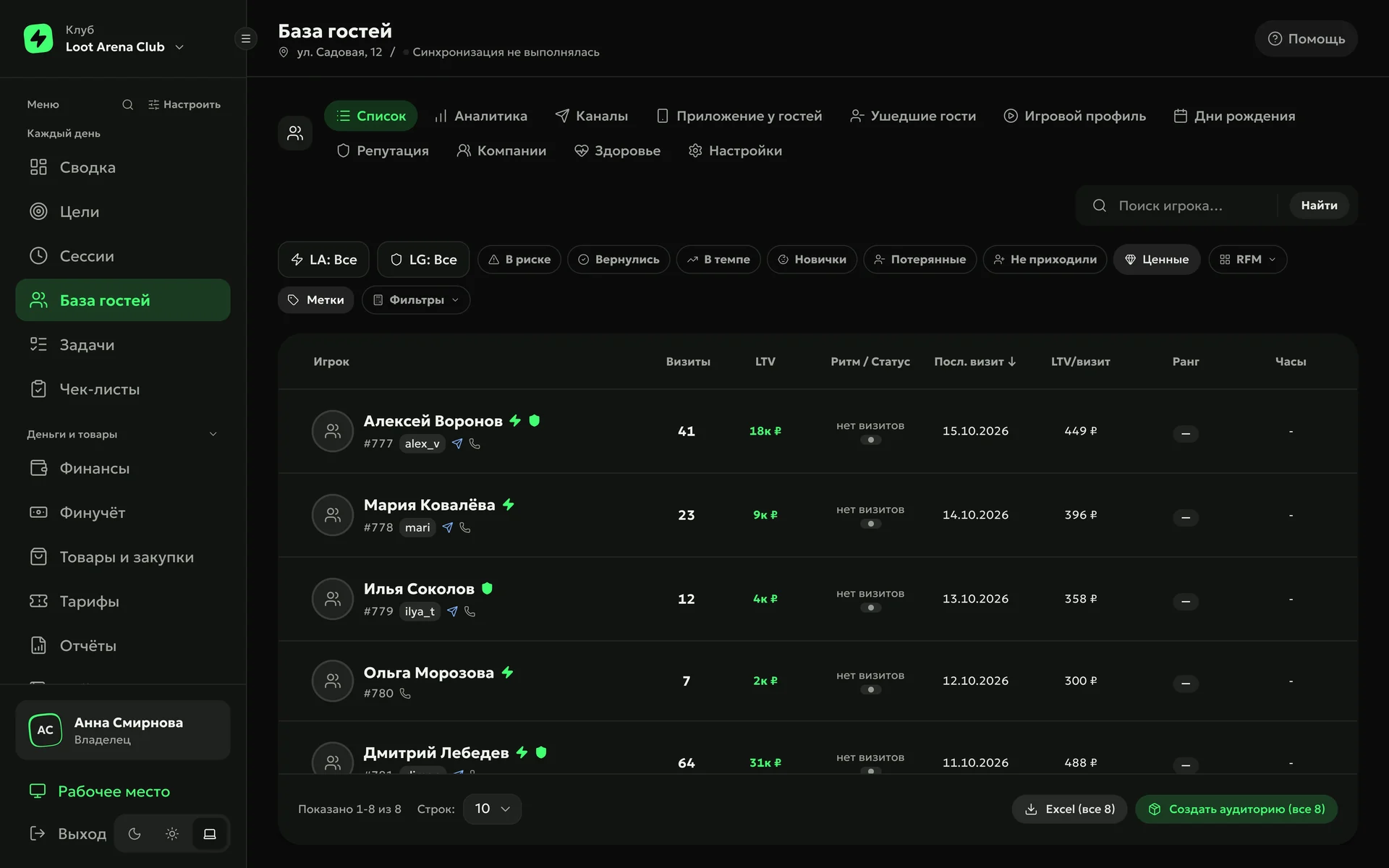
Enter a manager or owner login from the SmartShell admin panel, and the ERP finds your clubs by itself. Shifts, receipts, guests and sessions for the last 3 months load on their own, and after that the ERP updates them every hour.
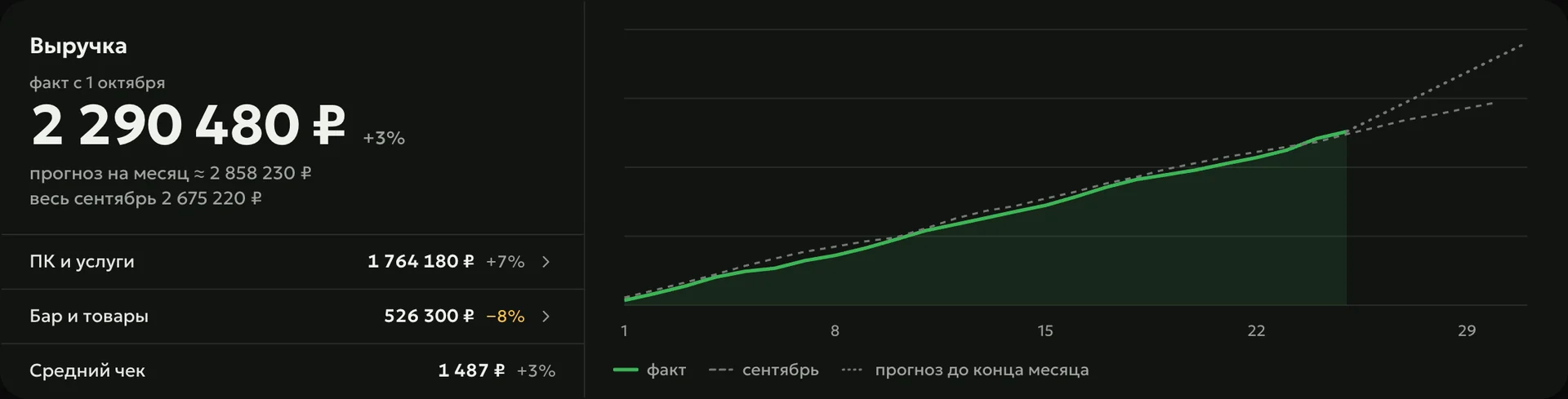
Shifts and receipts with every line item, sessions, guests with balance and bonus points, bookings, rates and stock — the ERP loads it all from SmartShell by itself, every hour. ERP revenue was checked against the SmartShell report and matched exactly.
Receiptsevery line: games, bar, top-up, bonus points
SeatsPCs, consoles, VR and billiards — by zone
Bookingswith status, cancellation and the guest’s phone
Credit
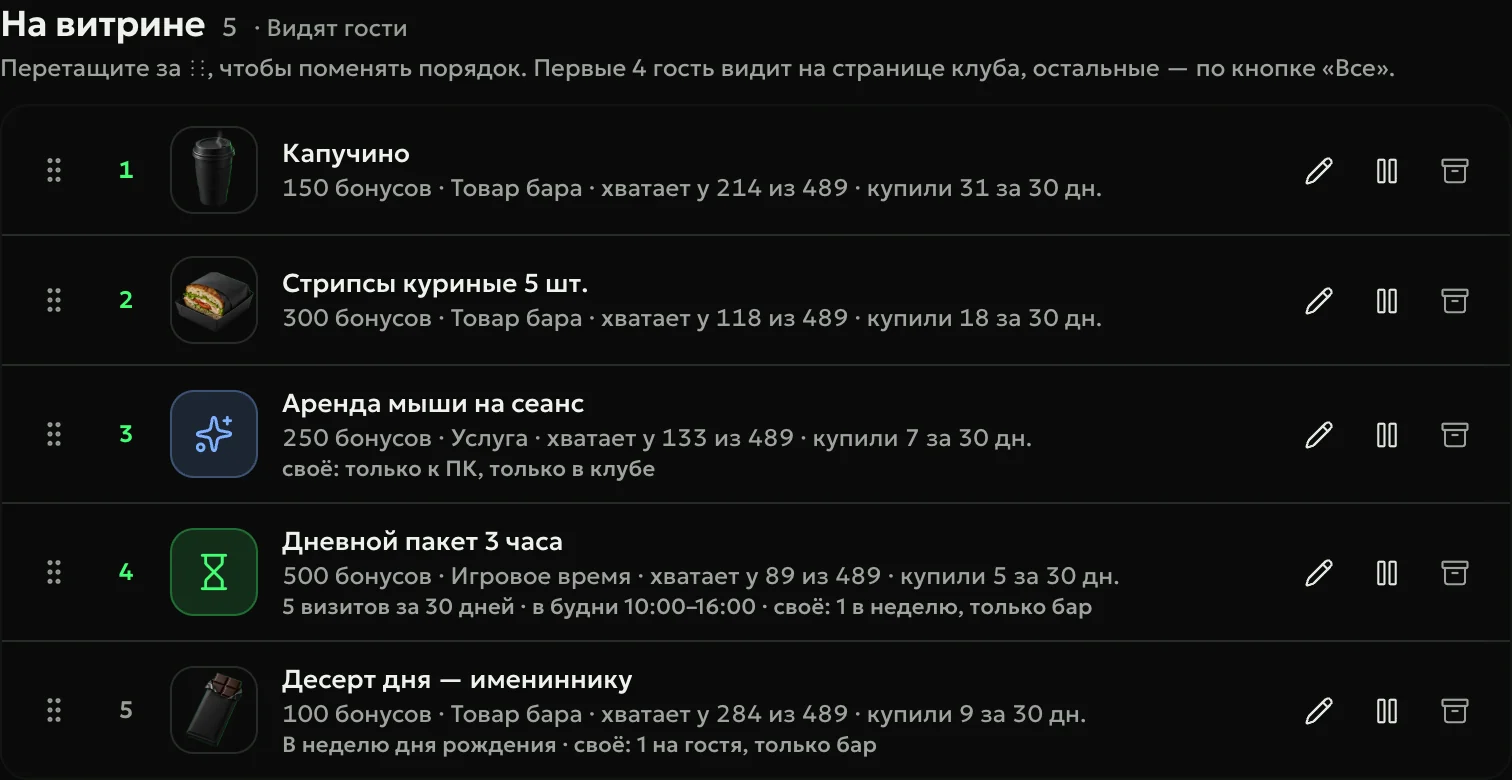
The ERP credits mission rewards, gifts and compensation as bonus points and money to the guest’s SmartShell balance, and writes off an unused gift with an expiry date by itself. The bonus shop works here too: guests buy at the bar with points, and you set the items and the rate.
Update
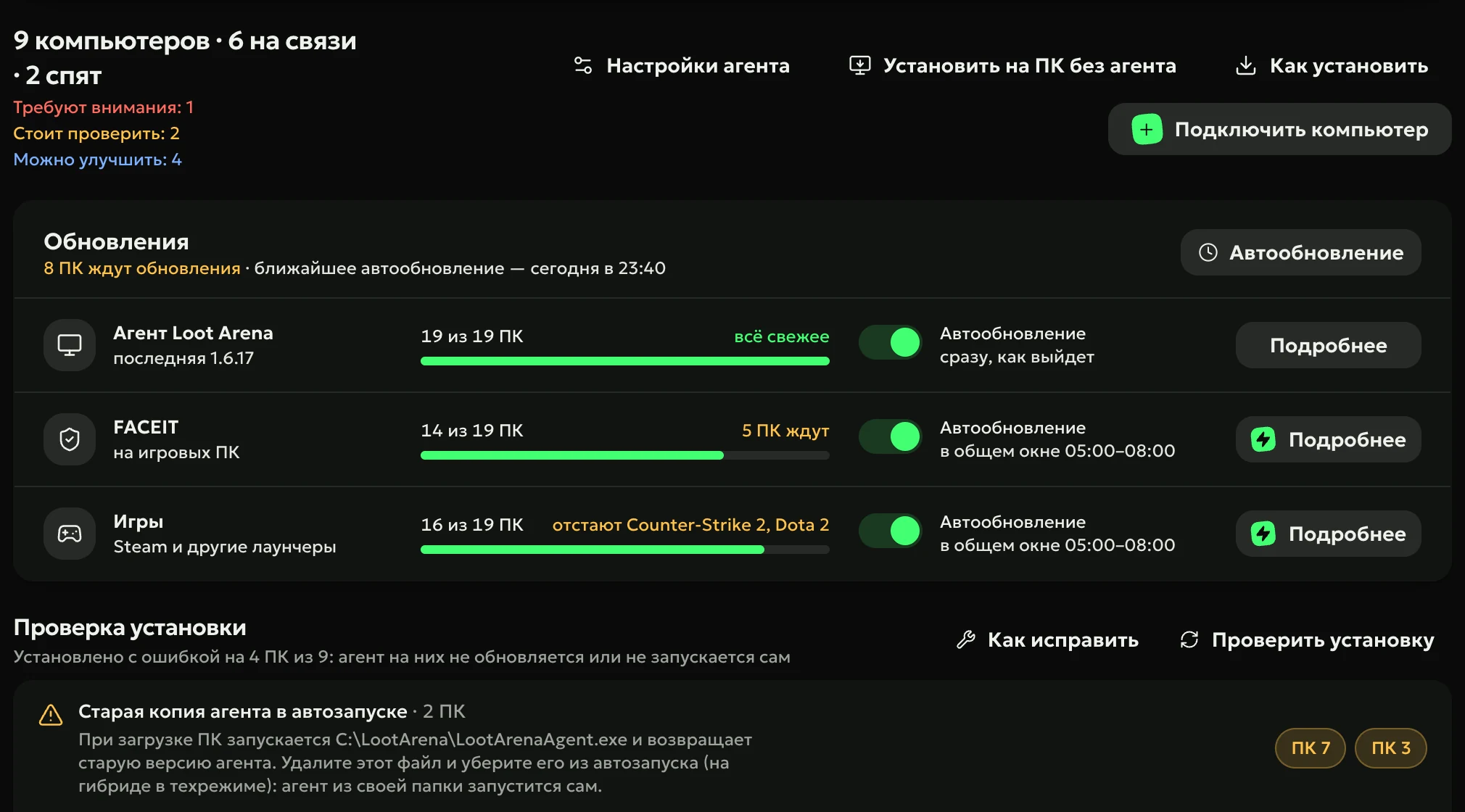
The PC Agent works on SmartShell too: it updates FACEIT on free PCs through high access, and on PCs that run from their own disk it does without; busy PCs wait for the guest. The same way, the ERP opens free PCs for agent installation.
How to start
Apply
Club name, shell and email — the ERP login and password arrive by email.
Enter your SmartShell login
A manager or owner login from the SmartShell admin panel: the ERP finds your clubs, and you tick the ones you need.
Work on your own data
Once the last 3 months are loaded, the ERP opens and your 7 demo days start. Older history loads after that.
Do I need a Loot Arena manager to connect SmartShell?
No. You enter a manager or owner login from the SmartShell admin panel into the ERP yourself, and the ERP finds your clubs. If something goes wrong, a Loot Arena manager helps in Telegram.
What will I see in SmartShell after connecting?
A Loot Arena staff member with the Manager role in your staff list: through it the ERP pulls data and credits bonus points. When SmartShell reports that the manager signed in, that is the ERP, and its credits show in the SmartShell log.
Do all ERP sections work on SmartShell?
Almost all: finances, sessions, the guest base, missions, loyalty, campaigns, payroll, checklists and reports. Purchasing has no goods receiving: SmartShell does not share the price and supplier of a delivery.
Does the PC Agent work on SmartShell?
Yes. The agent updates FACEIT on free PCs through high access, and on PCs that run from their own disk without it; it sees peripherals, overheating and failures and keeps monitors at the right refresh rate. The FACEIT queue skips PCs with disk freeze and says why.
How much does the SmartShell integration cost?
Nothing extra — it comes with any ERP module. One module is $129 a month per club, two are $189, all three are $219.
Try Loot Arena
7 days on your club’s data: the shell integration by API is already set up, and every feature is open with no limits. It all happens by itself — your access arrives by email.