
Find
“My Day” finds a seat that has played less than 40% of its zone’s median for two weeks, and a zone that dropped more than the club as a whole. A zone almost sold out at peak is a reason to look at your rates.
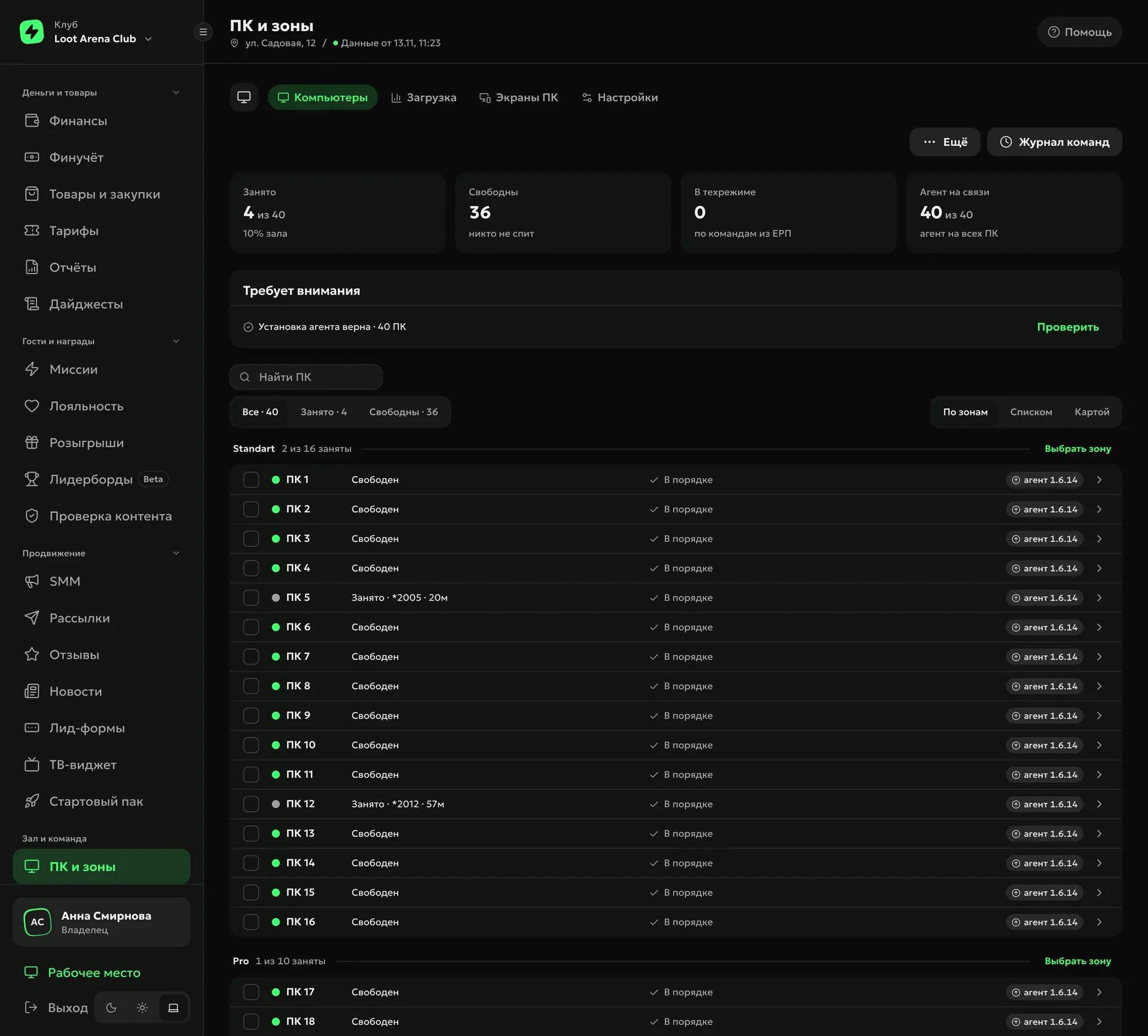
Every PC in the club in one list by zone: busy, free or in maintenance mode. The ERP counts load and revenue for each zone and each seat from sessions in your club’s shell — the billing software such as LanGame, SmartShell or Gizmo. You see where the peak is and which seat sits idle.
“My Day” finds a seat that has played less than 40% of its zone’s median for two weeks, and a zone that dropped more than the club as a whole. A zone almost sold out at peak is a reason to look at your rates.
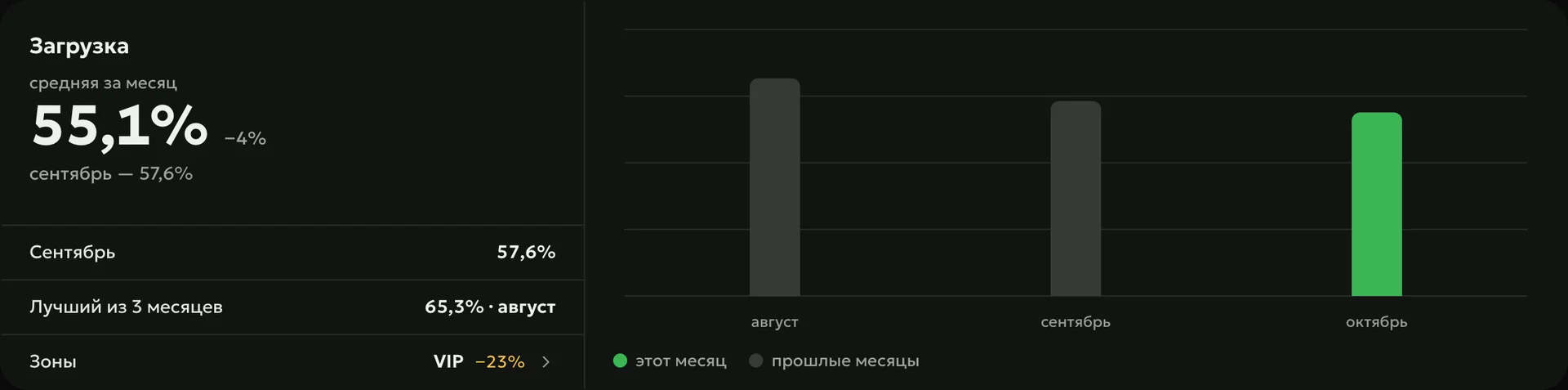
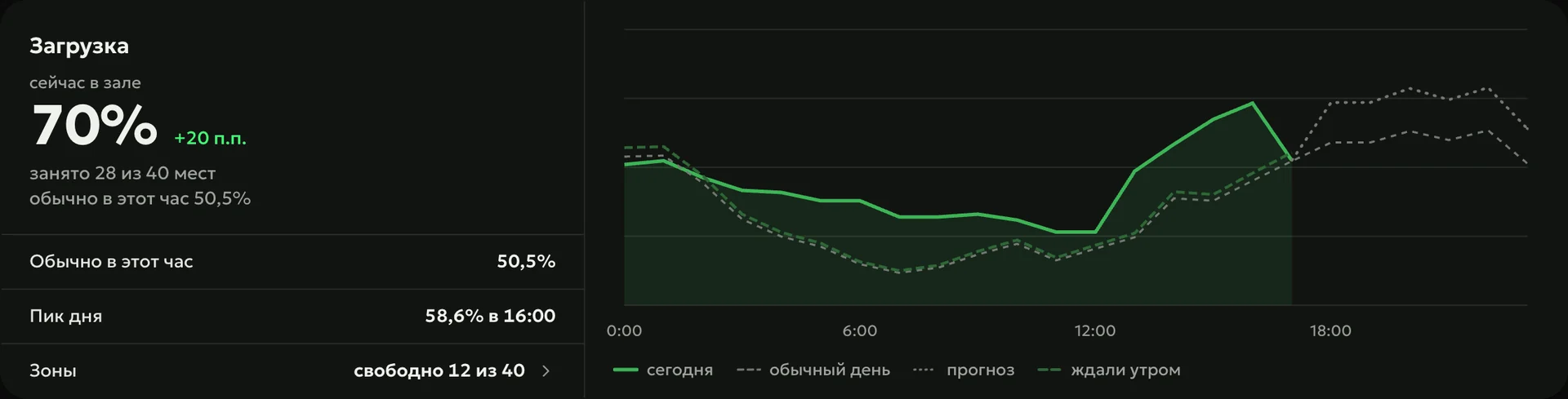
Hall load right now is set against the usual for this hour, and each zone shows how many seats are free. A seat counts as taken when a guest is playing on it or a paid rate is running; maintenance mode without a guest stays out of the load.
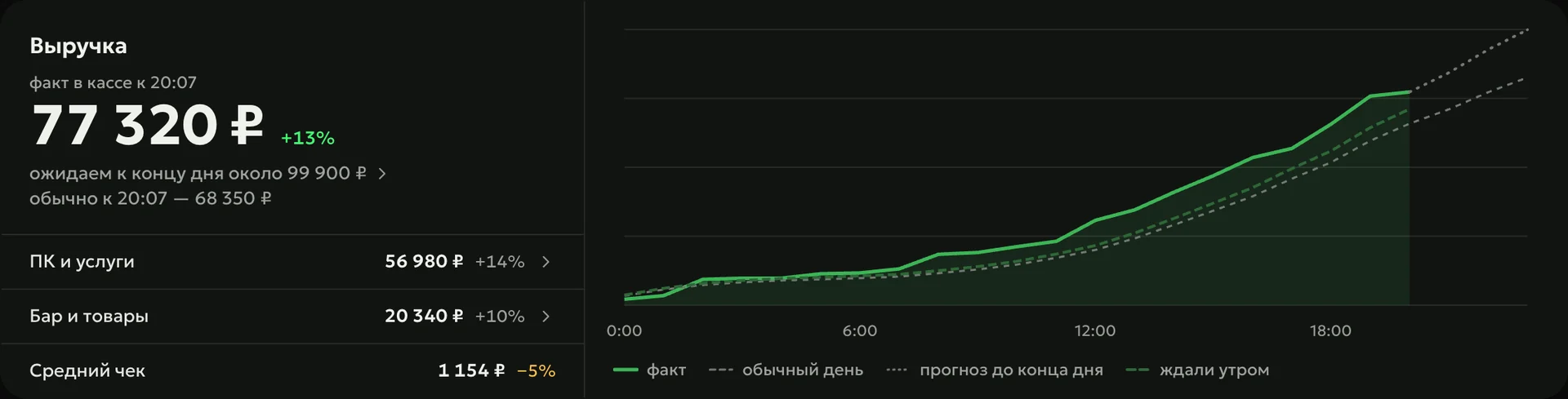
The ERP splits game revenue by zone and by seat: you see how much each zone earns per hour and which PCs pull it down. The heat map shows a zone’s load by hour and day of the week.
Didn’t find the answer? Message us in Telegram — the product team replies.
@loot_arena_supportAny game session: a guest with an account, or a paid rate without one. Maintenance mode and unlocking a PC without a guest do not count.
It compares each seat with its zone neighbors over 14 days. If a PC plays less than 40% of the zone’s median, “My Day” lists it on a separate line.
Operations — $129 a month per club — includes load and revenue analytics by zone and PC. The agent’s data on each PC comes with the PC Agent.
Yes. The ERP counts zone load and revenue from LanGame, SmartShell and Gizmo sessions and payments.
7 days on your club’s data: the shell integration by API is already set up, and every feature is open with no limits. It all happens by itself — your access arrives by email.
Already have access? Sign in to the ERP