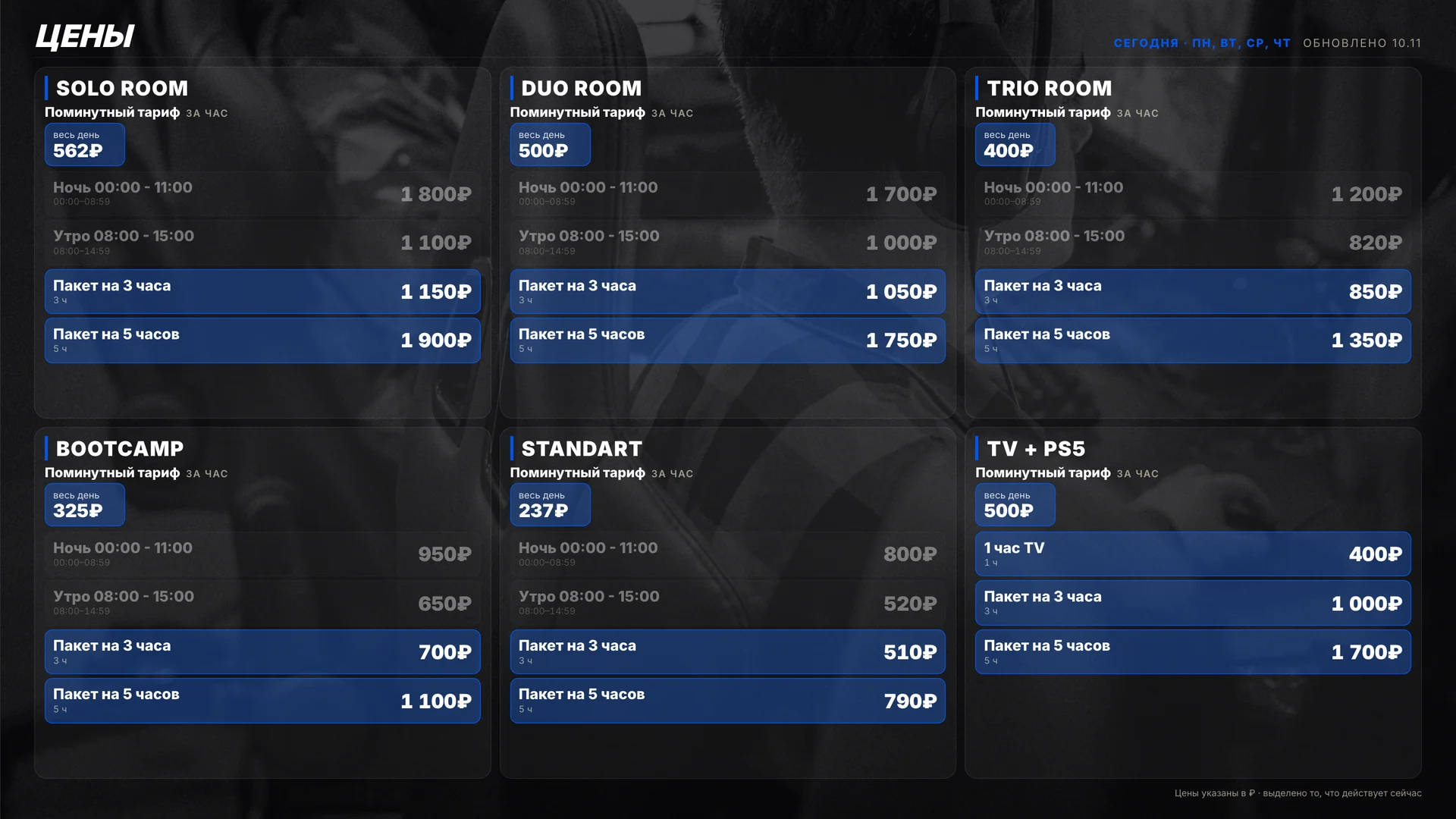
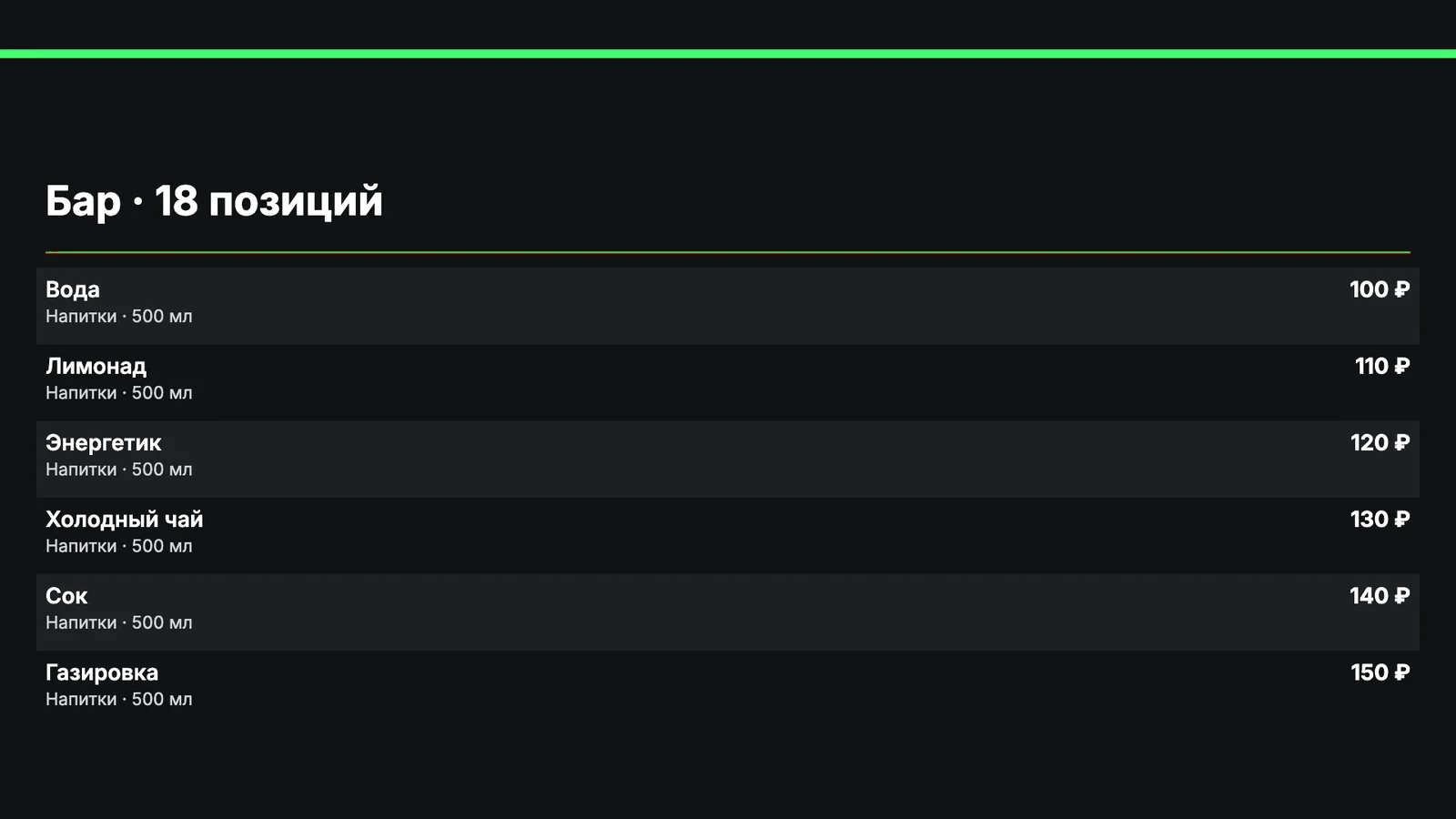
The ERP takes your rates by zone and time of day from your club’s shell — the billing software such as LanGame, SmartShell or Gizmo. The same prices appear on the TV price list in the hall and on your club’s page in the guest app. Rates shows what a seat earns per hour and who comes on each rate.
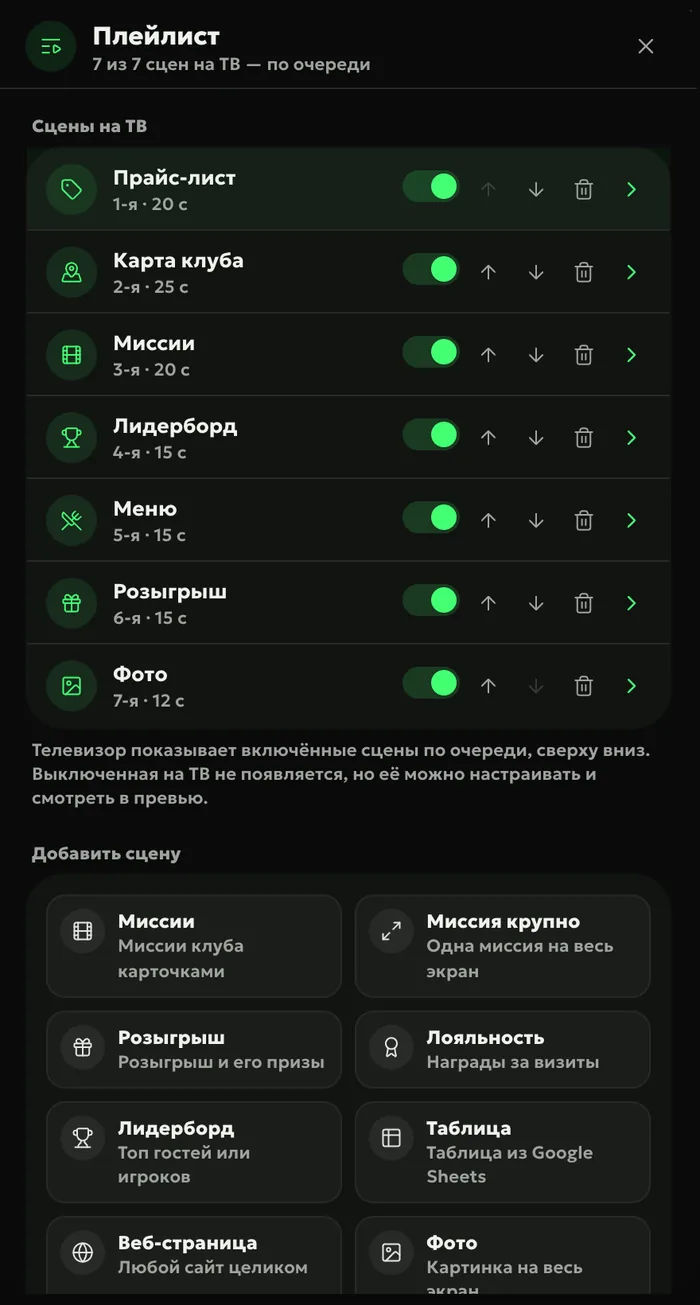
The “Price list” scene in the TV playlist takes zone prices from your shell’s rates — for the whole day, or only the ones in effect right now. Your club’s page in the guest app shows the same prices: the ERP leaves out staff-only, free and test rates.
Your own namesa zone on TV can have a different name than in the shell
New pricescome in from the shell by themselves
Suggest
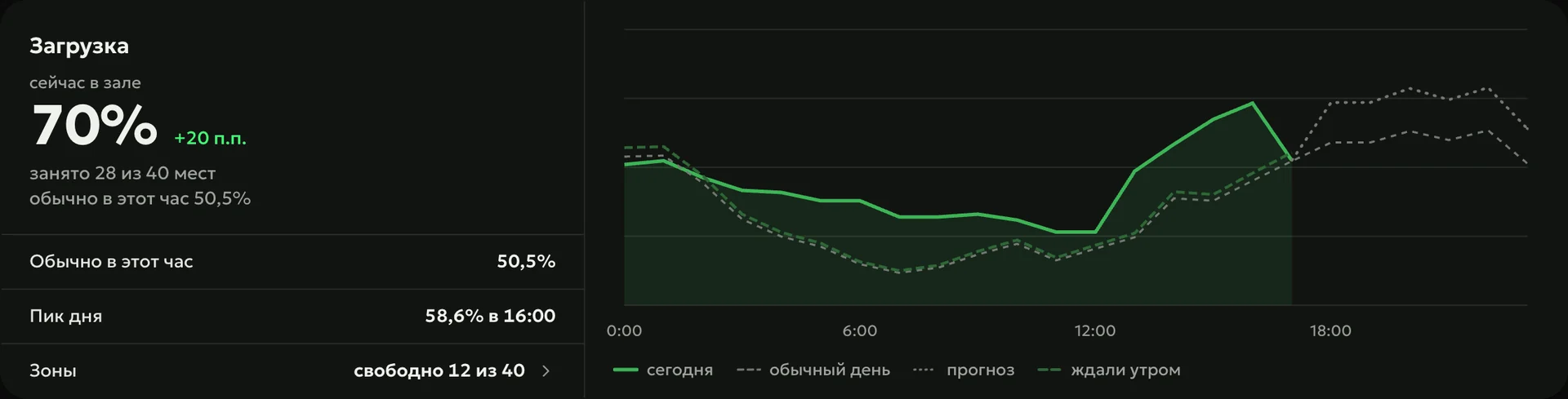
“Load and discounts” shows seat occupancy for every hour of the week and the windows when seats sit idle. When a zone is almost sold out at peak, “My Day” points it out and takes you to Rates.
Test
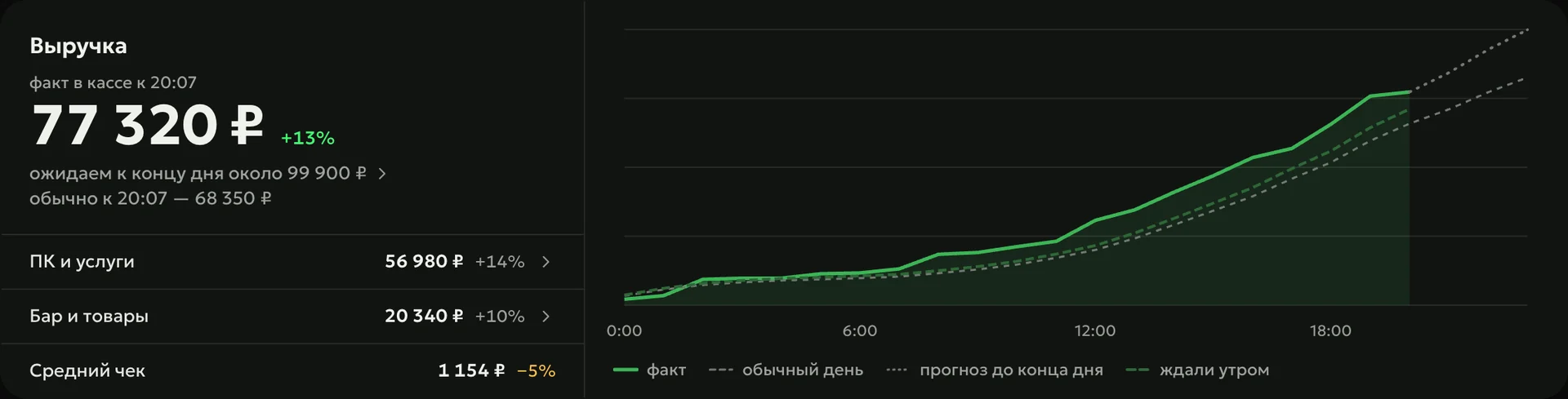
Change a price in the shell, and “Price analysis” spots the change by itself and measures the effect on revenue per seat-hour inside your club. The ERP tests a discount on quiet hours the same way: it compares before and after and separates the effect from ordinary swings.
New and regularwho comes on each rate and what happened to first-time guests
Packageswhat hours guests start them and whether they stay to the end
Everything is connected — and updates by itself
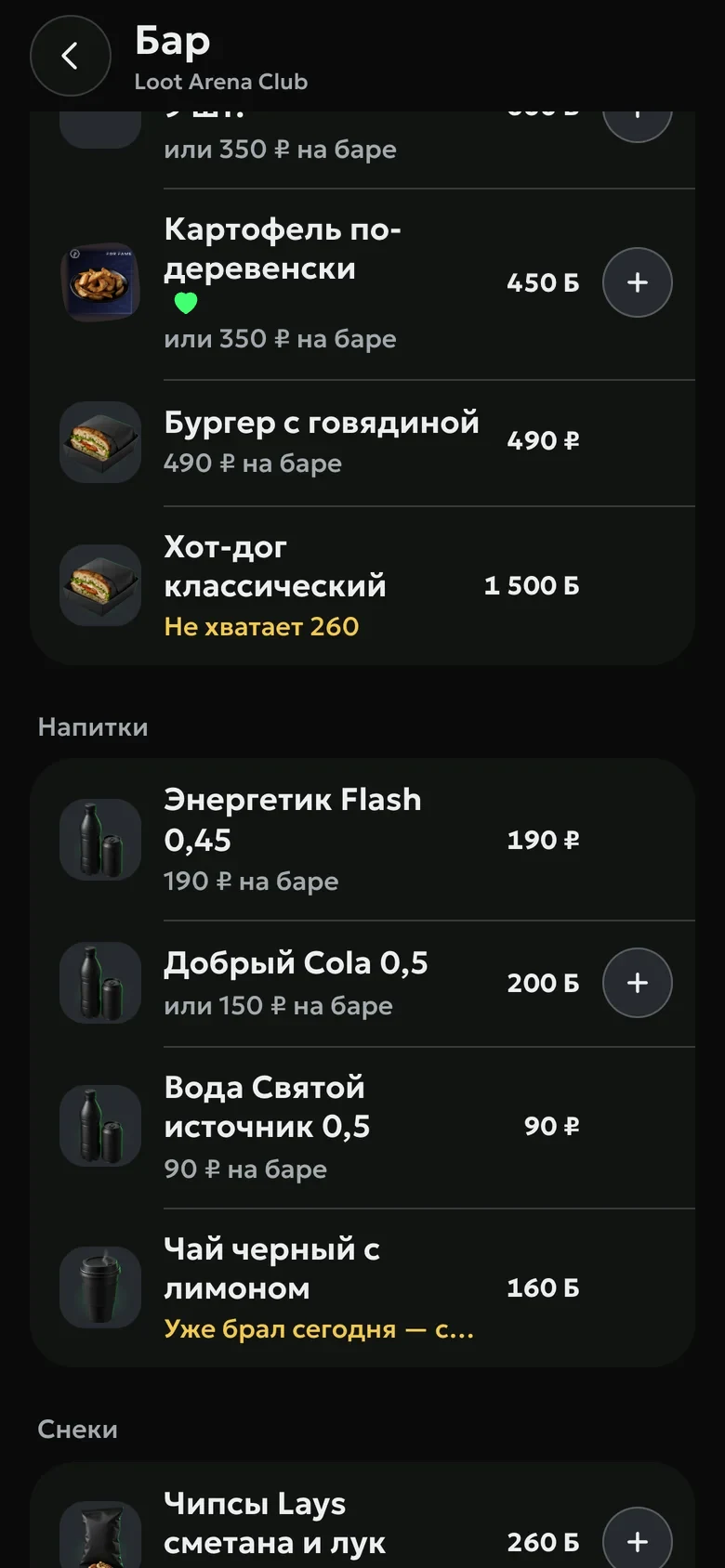
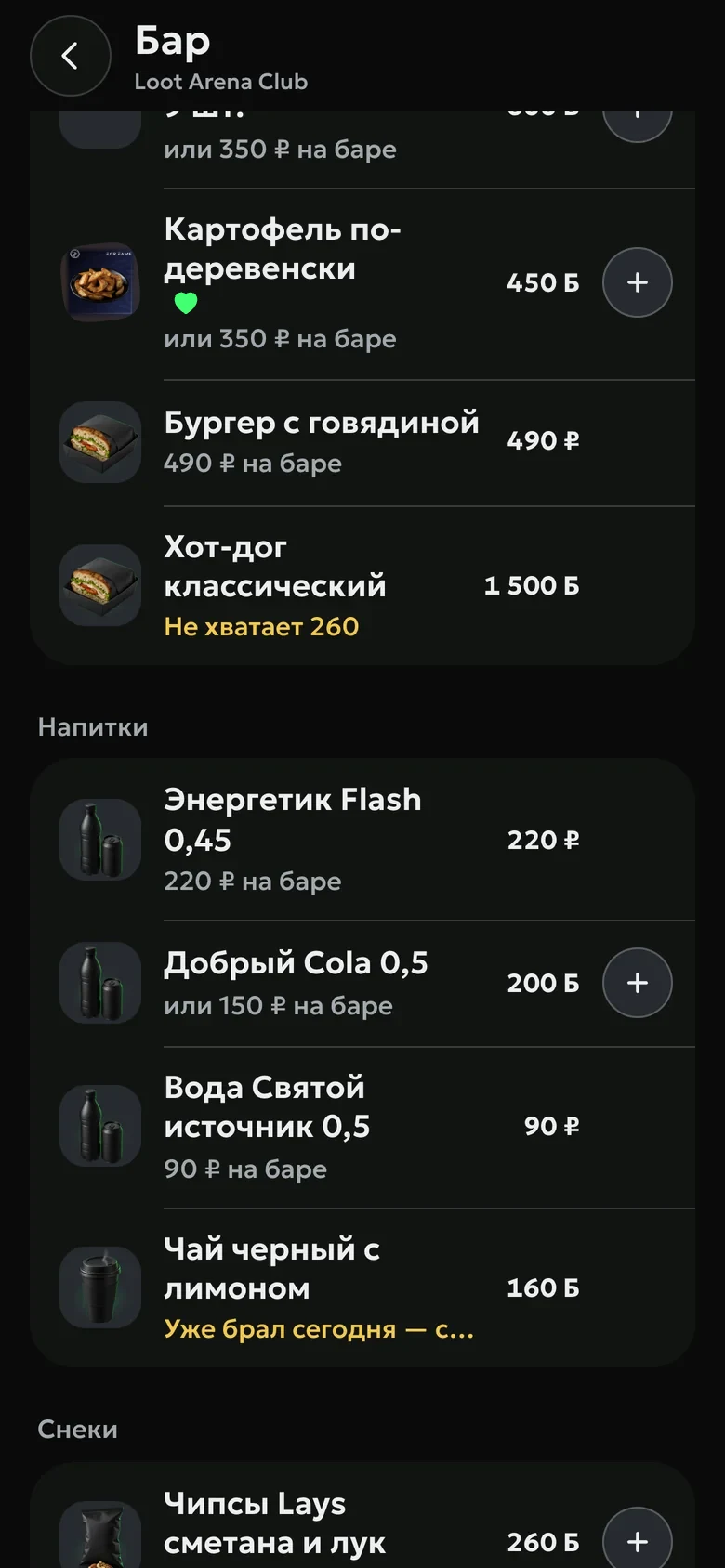
The ERP, the guest app, the club TV and the Desk on every PC run on the same data. Change a price in the shell and it updates everywhere by itself — nobody copies anything by hand.
ERP
220 ₽
Club TV
220 ₽
220 ₽
Guest app
220 ₽
A guest orders a drink from the PC Desk↓the admin hears the order on the shift console right away
A guest arrives — the visit is logged in the shell↓the “5 visits” mission in the app moves forward by itself
You create a mission in the ERP↓it shows up in the guest app and on the club TV
Where do I change prices — in the ERP or in the shell?
In the shell, as usual. The ERP picks up the new price list by itself and shows it on TV and in the guest app; a zone can have its own name on TV.
Which rates do guests see in the app?
All active guest rates, by default — without staff-only, free and test ones. You can also choose by hand which rates to show.
What is revenue per seat-hour?
A zone’s revenue divided by its number of seats and the club’s opening hours. If you raised a price and occupancy dropped, this figure shows whether you made more money.
Which module includes Rates?
Operations — $129 a month per club — includes rates analytics. The TV price list is built in the TV widget, which comes with Marketing or Gaming.
Try Loot Arena
7 days on your club’s data: the shell integration by API is already set up, and every feature is open with no limits. It all happens by itself — your access arrives by email.