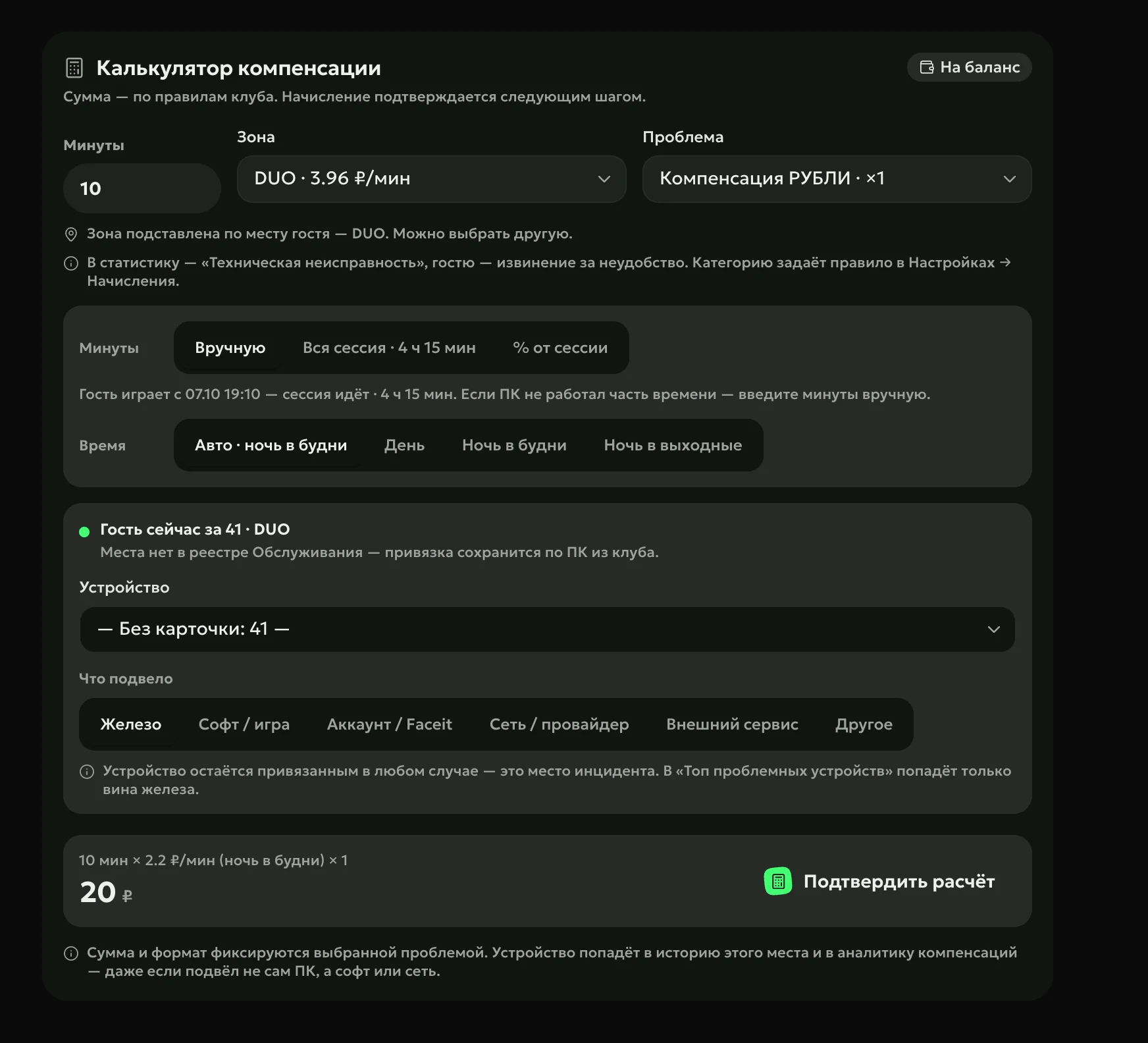
A PC freezes mid-game — the admin enters the lost minutes, and the calculator fills in the guest’s zone and the per-minute price for day or night, then counts by your club’s rule. The compensation goes to the guest’s balance in your club’s shell — the billing software (LanGame or SmartShell).
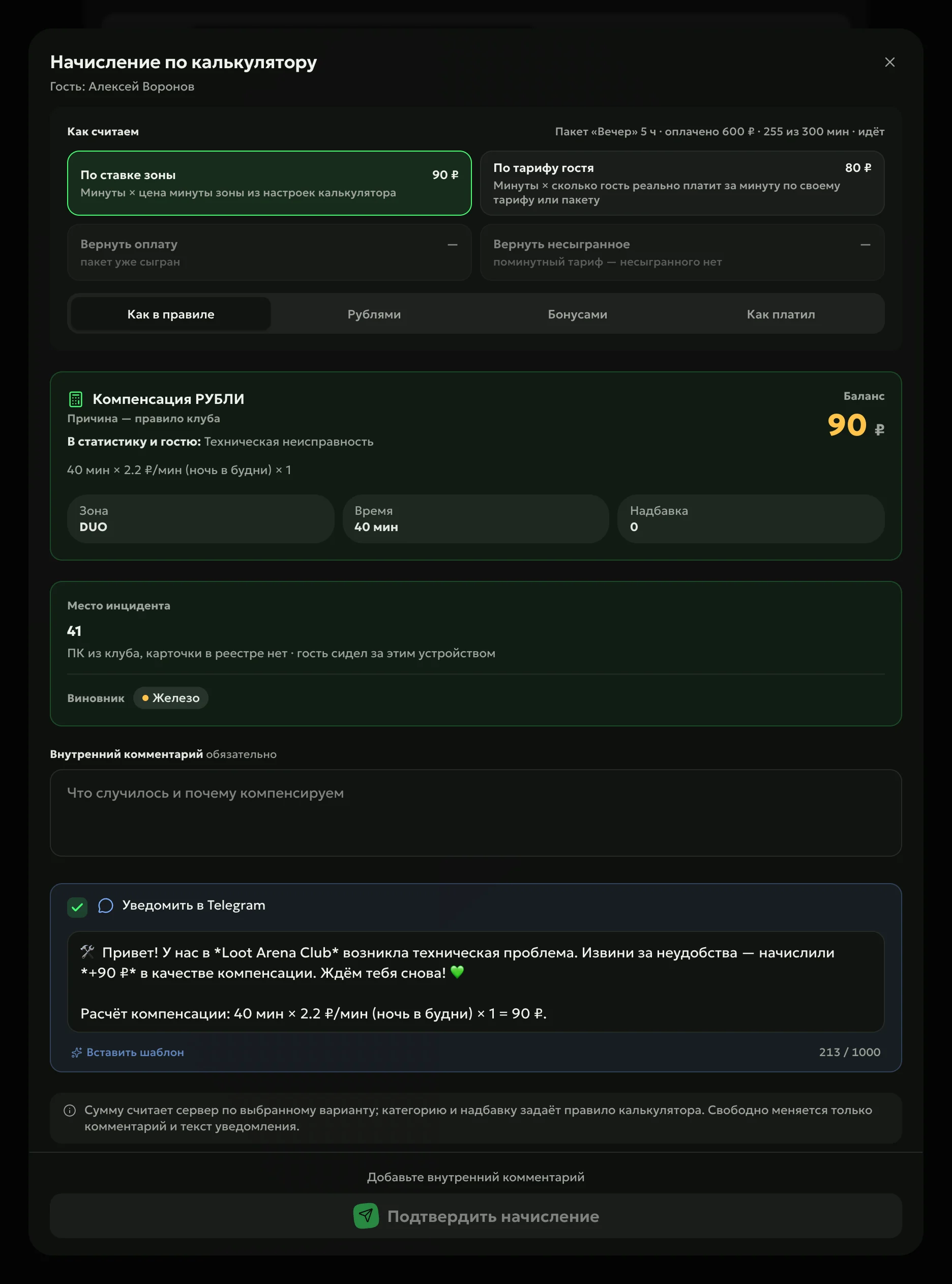
The server calculates the amount, with four methods to choose from: by the zone’s per-minute price, by what the guest pays per minute on their rate, refund the visit payment, or return the unplayed minutes of a package. You credit it as the rule says, in money, in bonus points, or the way the guest paid.
Message to the guestthe amount and the calculation — in Telegram
Commentrequired: what happened and why you compensate
Record
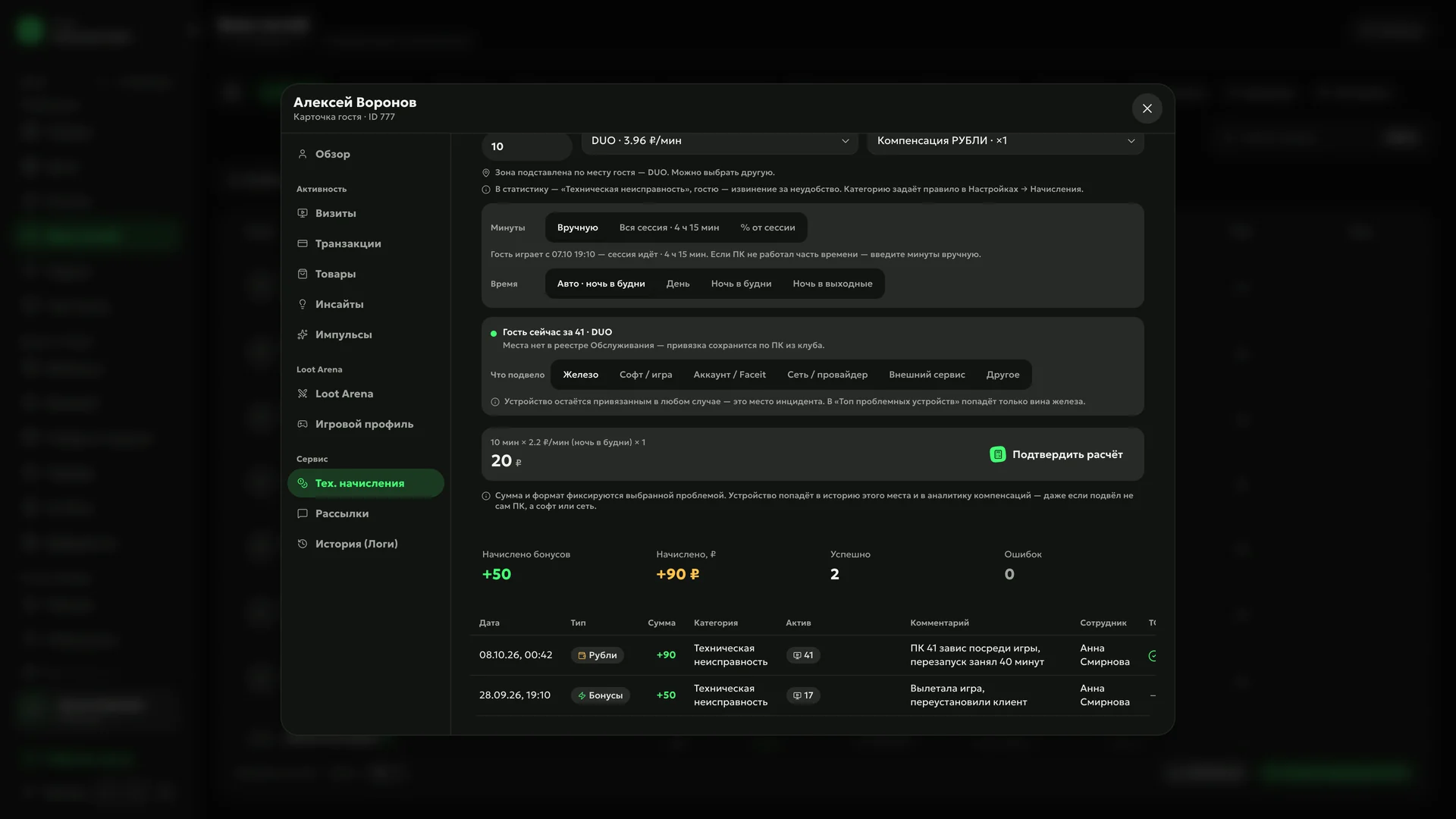
Every credit stays in the guest’s profile: amount, reason, PC, comment and who credited it. The seat goes into the PC’s history, and “My Day” shows by itself any PC where guests were compensated for hardware two or more times in two weeks.
Analyticsthe share of compensations by reason — next to the median of other clubs
Defer
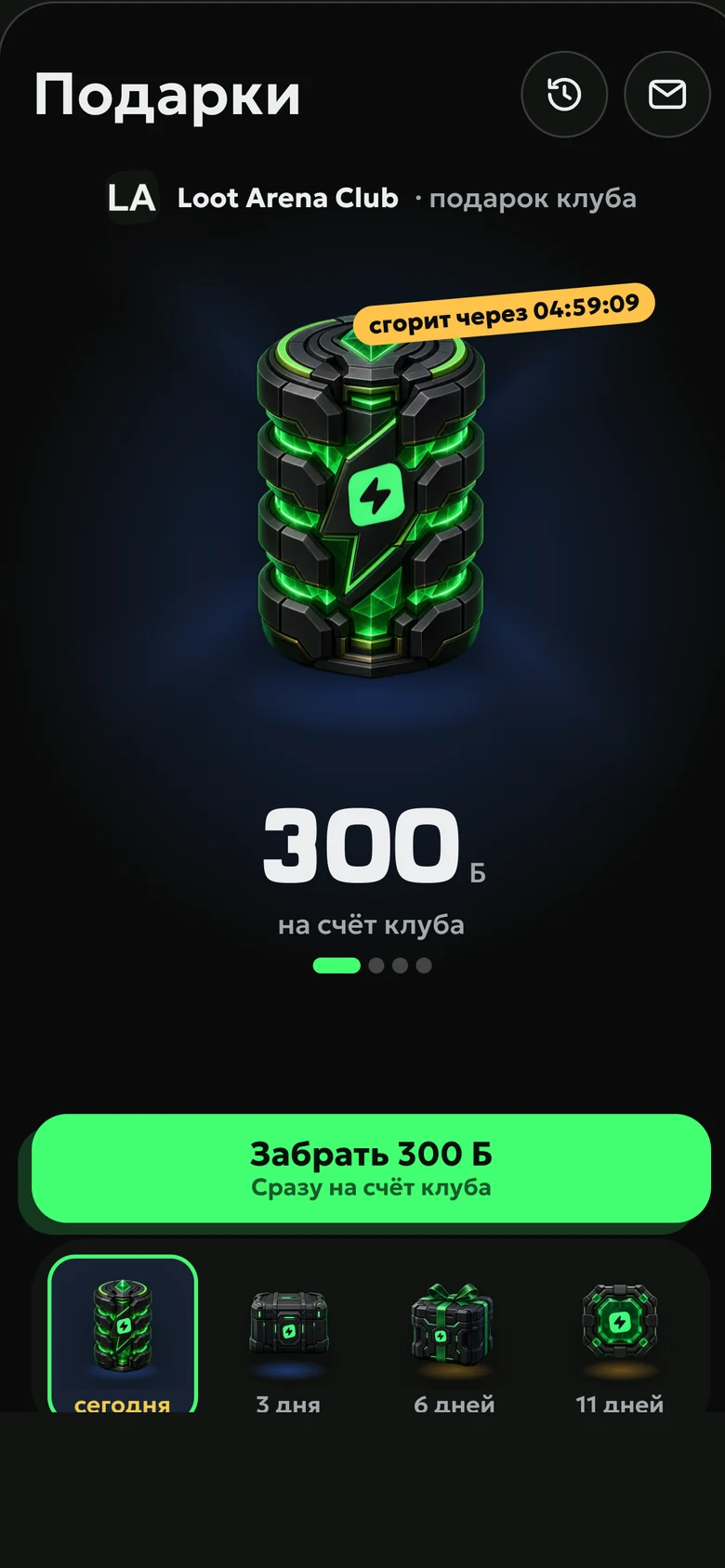
A compensation can be deferred for a few days: it reaches the guest as a gift in the Loot Arena guest app and lands on the shell balance when the guest claims it. The rule sets how long bonus points last — from a week to three months, or with no expiry.
How to start
Set the rules
Compensation reasons, money or bonus points, a multiplier and an amount cap — in the rule builder.
Fill in zone prices
“Suggest from rates” takes the per-minute price for day, night and weekends from the shell’s price list.
Credit from the guest profile
Find the guest in the shift console or on the phone and tap “Credit” — the calculator opens by itself.
To the guest’s balance in the shell — as money or bonus points. The guest gets a message with the amount and the calculation, and a deferred compensation waits for them as a gift in the Loot Arena app.
Who decides how much to compensate?
The club’s rule: the manager sets the reasons, money or bonus points, the multiplier and the amount cap. With the calculator, the server works out the amount, and the admin can freely change only the comment and the message to the guest.
How do I account for night prices?
Turn on prices by time of day: each zone gets its own per-minute price for weekdays, weekend days, weeknights and weekend nights. The calculator picks the period from the time the guest played.
Which module includes tech compensation?
Operations — $129 a month per club. Crediting to the shell balance works for clubs on LanGame and SmartShell.
Try Loot Arena
7 days on your club’s data: the shell integration by API is already set up, and every feature is open with no limits. It all happens by itself — your access arrives by email.