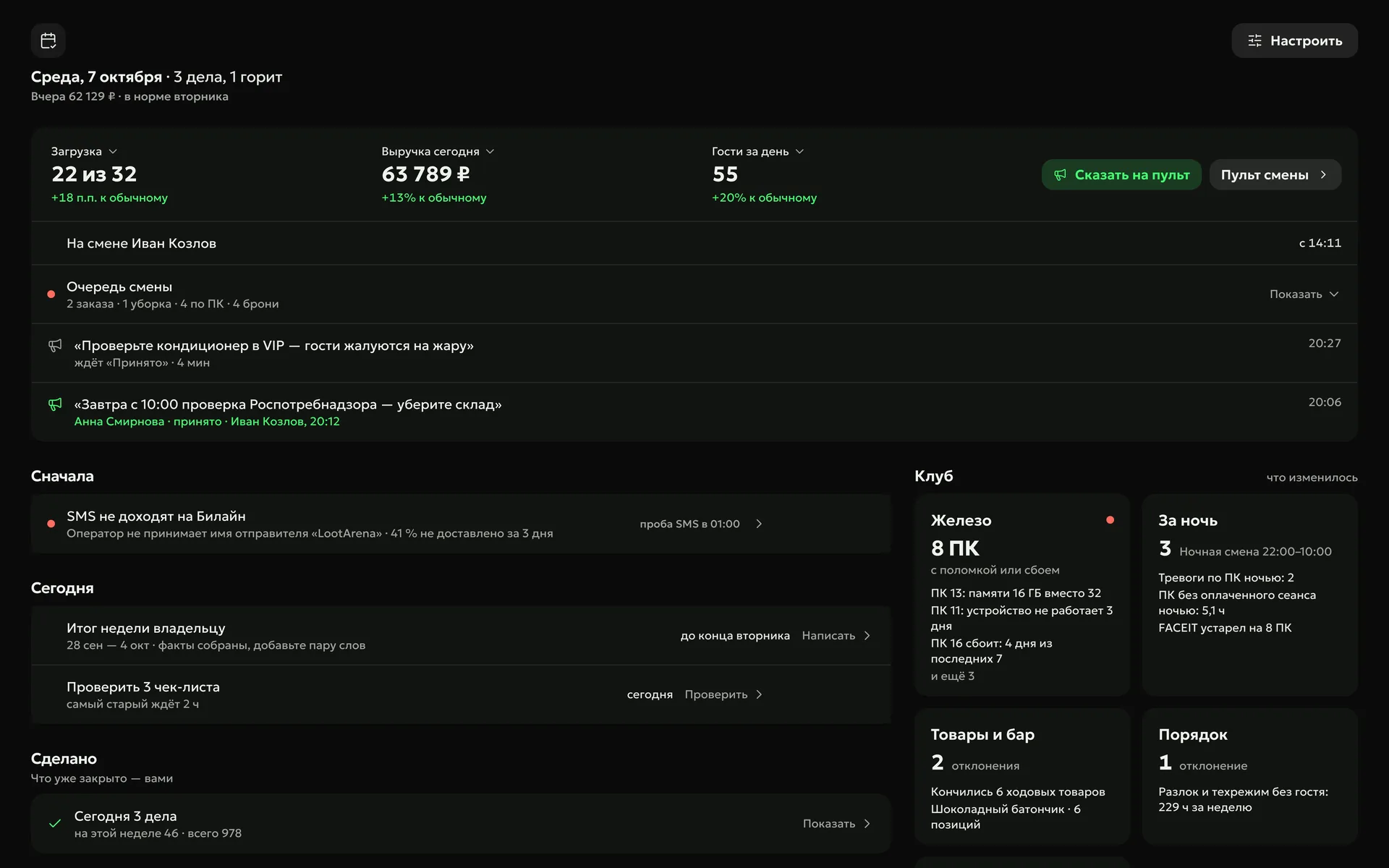
Every morning a digest of yesterday arrives in Telegram, and “My Day” gathers what needs attention: checklists to review, supplier payments, a fast-moving product that ran out, a zone that dipped.
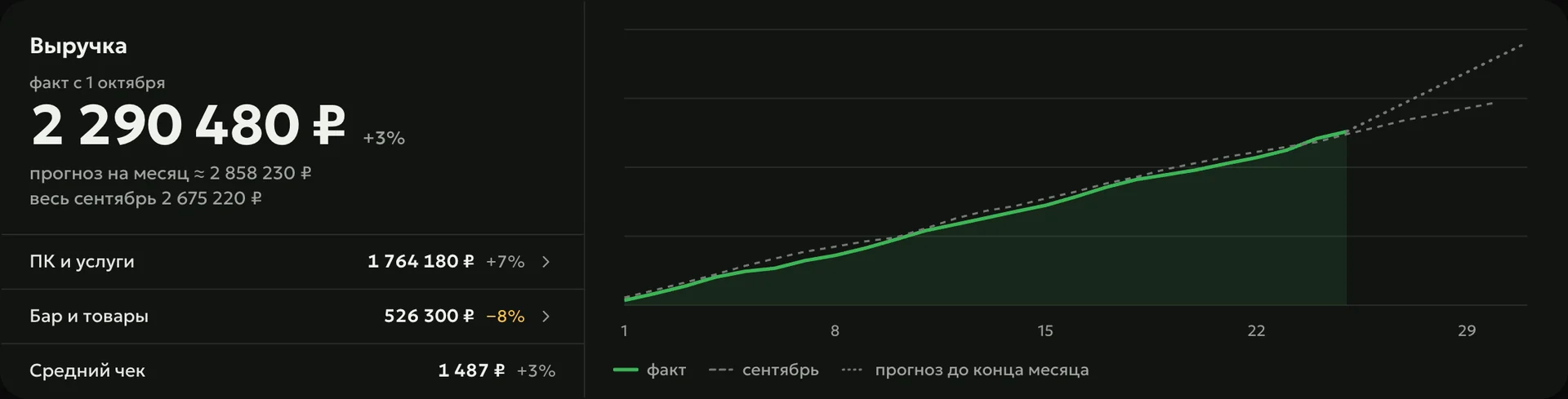
The digest arrives in a Telegram chat or topic by itself: yesterday — every morning, the week — on Monday, the month — on the 1st. It shows revenue against the weekday norm, average check, bar, new guests, admin shifts with refunds and Loot Arena rewards.
Every dayyesterday’s results in the morning, once the day is closed
Mondaysthe week: revenue vs. last week, payment channels, staff ranking
On the 1stthe month: vs. last month and the same month a year ago
Forecast
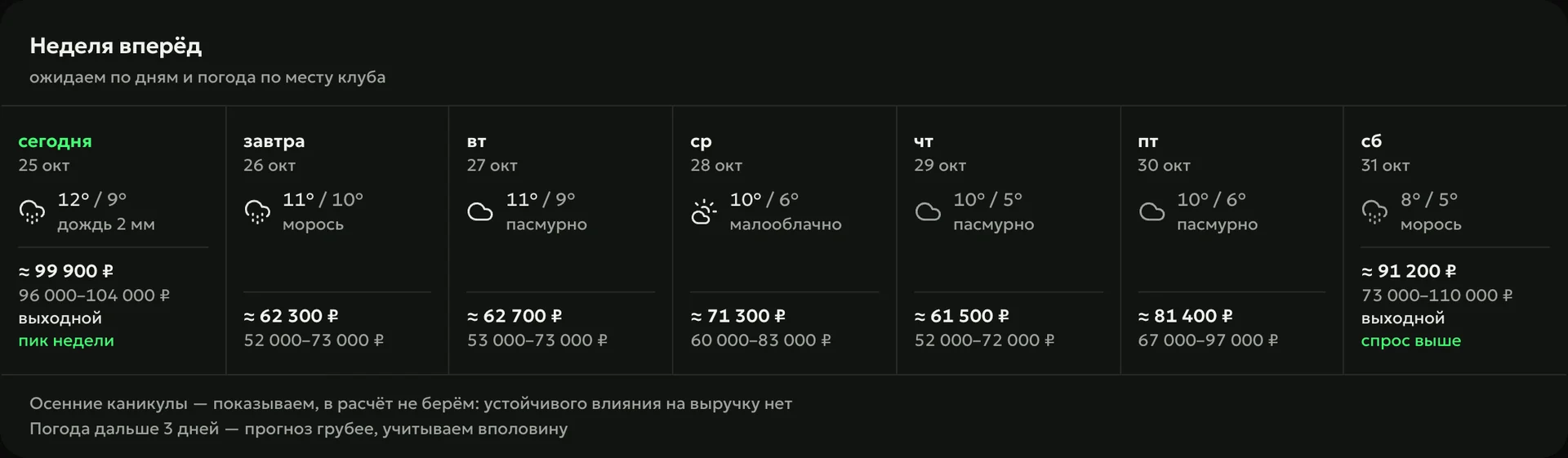
Week ahead shows expected revenue by day: the club’s usual day adjusted for the trend, the calendar and the weather where the club is. For today, you see how much is already in the till and how much to expect by the end of the day.
List
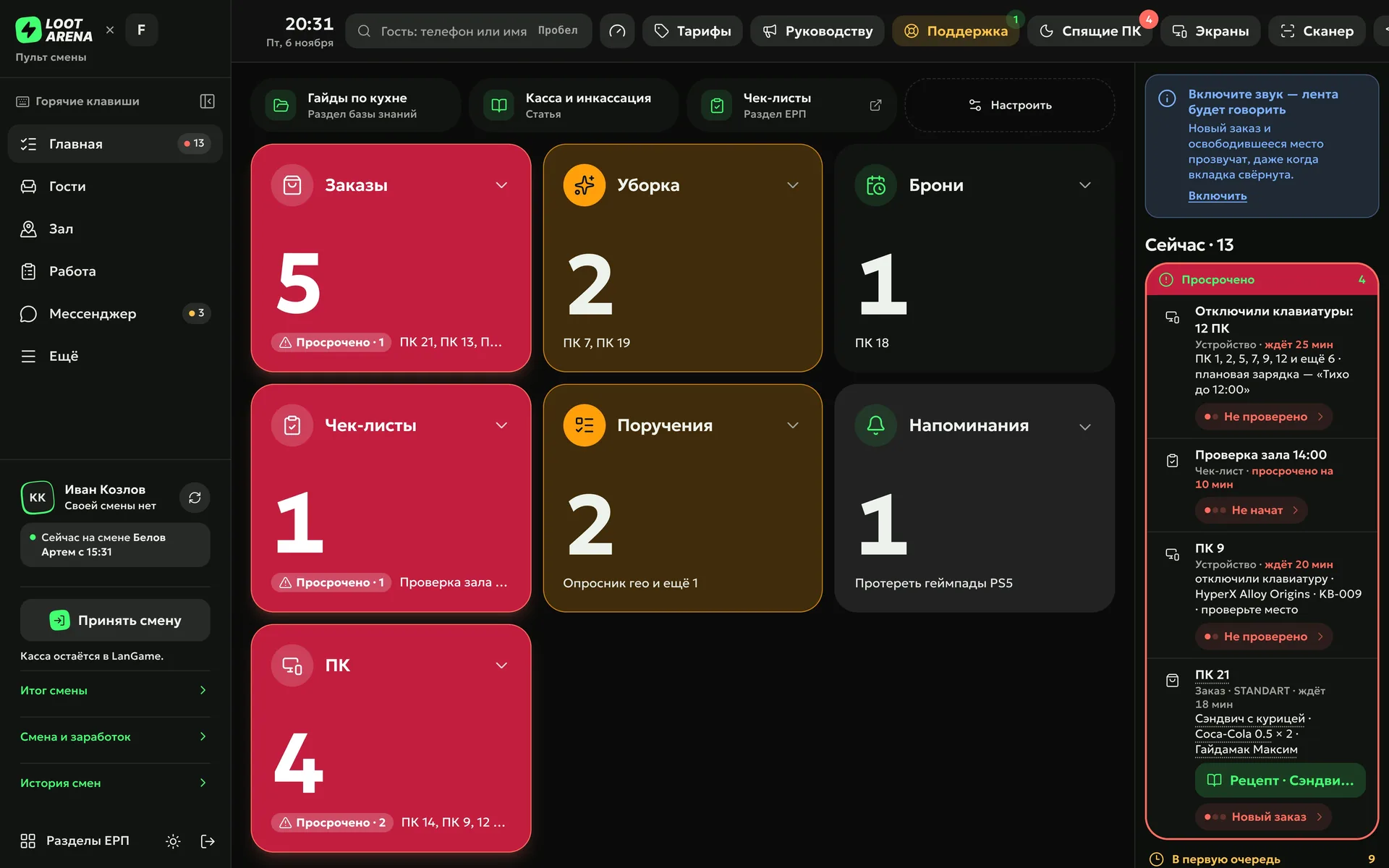
Sales lists are built on schedule or after a checklist is submitted: what was sold since the last check goes as a message to a Telegram topic and as a “restock” task to whoever is on shift. The task joins the shift console feed, and the admin ticks off the items.
How to start
Connect Telegram
Pick the club’s chat or topic in the ERP notifications — digests and sales lists go there.
Choose the business day
Calendar days or the shifts in your club’s shell — the billing software such as LanGame, SmartShell, Gizmo or iCafeCloud — so a night shift isn’t cut in half.
Open “My Day”
For a manager it is the start screen: the club’s tasks and alerts on one screen.
The daily one at 8:30 Moscow time, the weekly one on Monday at 8:40, the monthly one on the 1st at 10:00. If the club’s day is counted by shifts or the shell sends payments only after a shift closes, the summary arrives once the night shift closes.
Who sees “My Day”?
The club manager — it is their start screen — and the owner, who can view the feed through the eyes of any of their managers.
What does “My Day” find by itself?
A purchase cost that rose after you set the price, a fast-moving product that ran out, revenue below the weekday norm, a dipping zone, an idle seat, a regular guest who stopped coming and campaigns that stopped getting through. The screen shows no more than five alerts, the costly ones first.
Can I build my own report?
Yes: the report builder makes a presentation from the club’s figures — revenue, occupancy, guests, bar, team — and sends it out on schedule.
Which module includes reports and digests?
Digests, reports and sales lists are in Operations, $129 a month per club. “My Day” and “Summary” are open with any module.
Try Loot Arena
7 days on your club’s data: the shell integration by API is already set up, and every feature is open with no limits. It all happens by itself — your access arrives by email.