Skip to content

Maintenance — a passport for every device

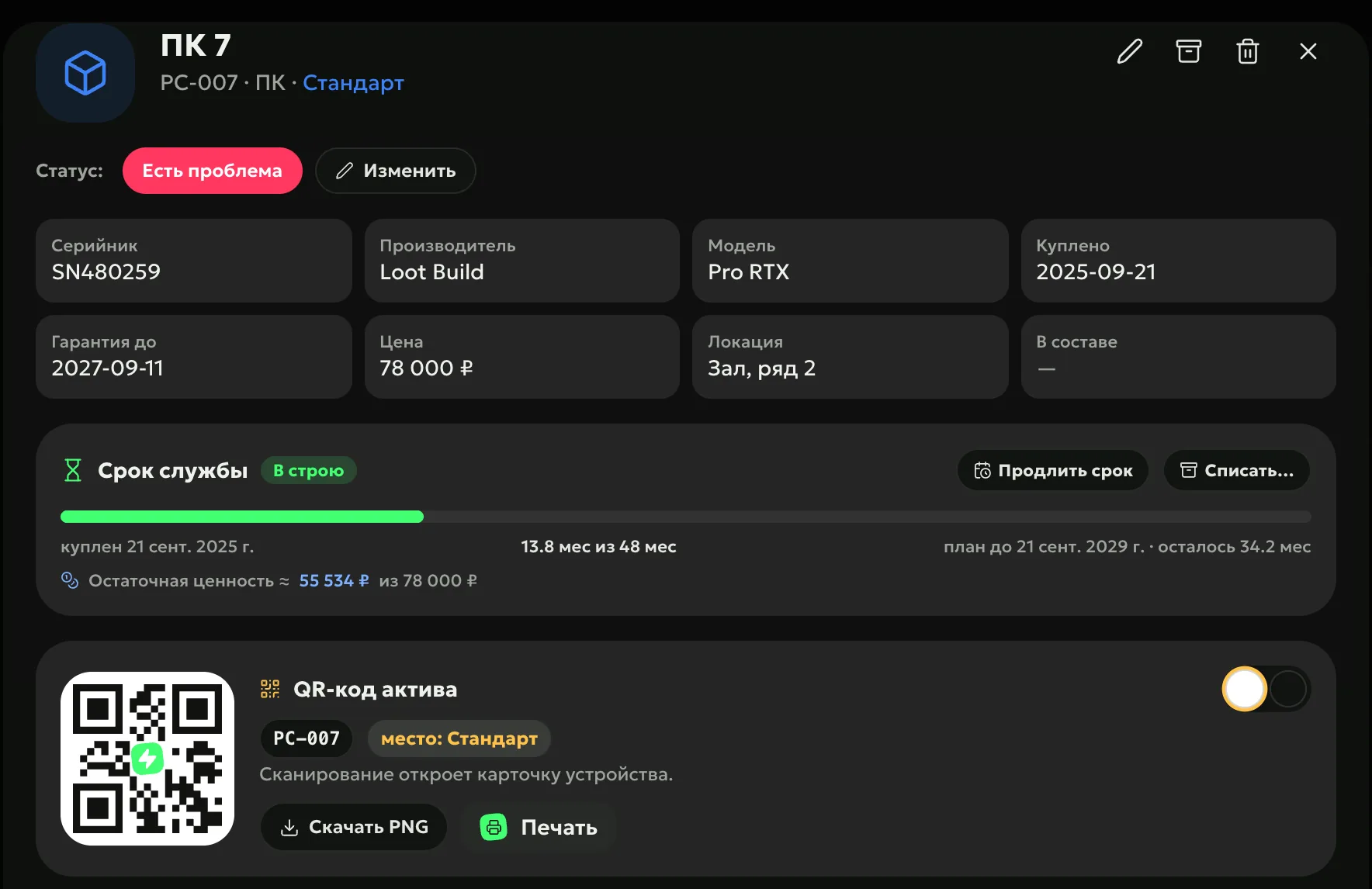
Every PC, monitor, mouse and headset gets a card with a QR sticker: model, warranty, complaints, repairs and replacements. The ERP tracks service life by itself — it shows the residual value and builds a replacement plan for the year ahead, with a budget.

ERP, device passport “PC 7”: status “Has an issue”, serial number, manufacturer and model, purchase and warranty until 2027, price 78,000 ₽, location “Hall, row 2”; service life — 13.8 of 48 months, residual value 55,534 ₽; QR sticker PC-007 — download or print

Every breakdown — in the device history

Notice

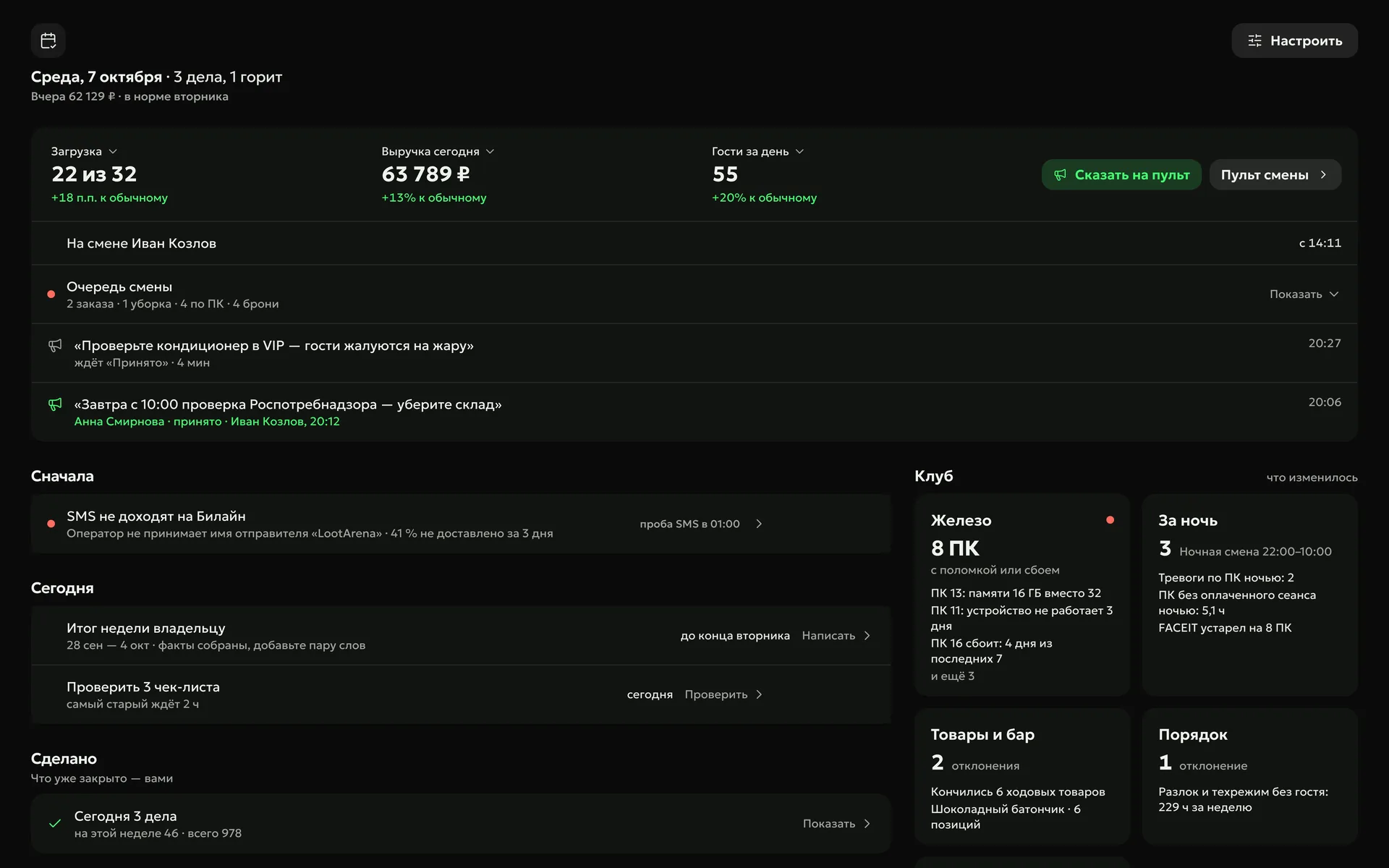
With the PC Agent, breakdowns surface by themselves: less memory than before, a device down for the third day, a PC failing again and again. The manager sees them in “My Day”, and the agent fills in the PC passport from the motherboard.

  • PC passportmanufacturer, model and serial number — from the motherboard
  • Peripheralsmice, headsets and monitors the agent sees — as cards
  • In “My Day”an unrepaired breakdown, changed hardware, a PC failing or offline
Manager’s “My Day”: the “Hardware” card — 8 PCs with a breakdown or failure: PC 13 — 16 GB of memory instead of 32, PC 11 — a device down for 3 days, PC 16 failing 4 days out of 7

Compensate

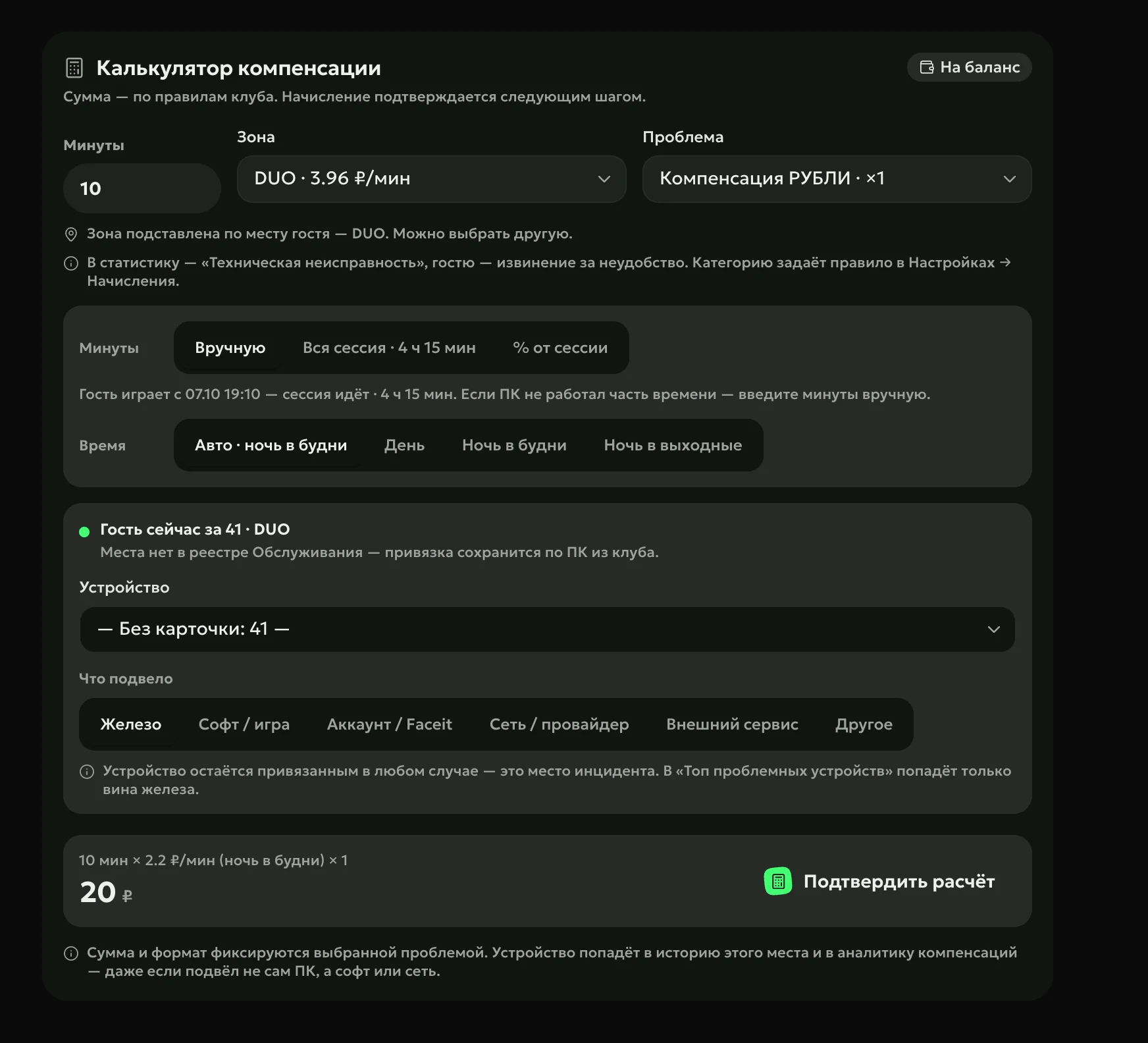
A PC’s card shows which guest played on it last, and their profile opens right from there. The compensation calculator fills in the device from the guest’s seat and works out the amount by your club’s rule.

ERP, compensation calculator: zone, problem, minutes of downtime and the club rule — 20 ₽ to the guest’s balance

How to start

  1. Add devices in batches

    Club PCs come in from your club’s shell — the billing software such as LanGame, SmartShell, Gizmo or iCafeCloud — and mice, keyboards and headsets are added for a whole zone at once, coded by seat number.

  2. Stick on the QR codes

    An admin scans the sticker with a phone and opens the device card.

  3. Set the service life

    Once per type — for example, a mouse 12 months, a PC 48 — and the replacement plan builds itself.

Owners’ questions

Didn’t find the answer? Message us in Telegram — the product team replies.

@loot_arena_support
What does a device card show?

Model, serial number, price, warranty, service life, zone and seat, and below — the log: complaints, replacements, preventive maintenance, photos, cleanings and guest compensations. The status shows whether the device works, is in service, in stock or written off.

How does an admin replace a broken mouse?

They scan the computer’s QR code and tap “Replace”: take a mouse from stock and send the old one to repair or back to stock. Only an employee with “Maintenance” rights can write a device off.

What is the replacement plan?

A 12-month timeline: which devices reach the end of their service life each month and what replacing them costs. Next to it — the residual value of your equipment and complaints about each device over 90 days.

Can I schedule preventive maintenance?

Yes, with a calendar auto-task in “Tasks” — for example, dusting the PCs once a month. Completed maintenance is logged for a whole batch of devices at once.

Do I need the PC Agent for maintenance?

No: cards, the log, QR stickers and the replacement plan work without the agent. The PC Agent — $3 per PC a month, $1.50 with a module — fills in the PC passport and finds failures by itself.

Try Loot Arena

7 days on your club’s data: the shell integration by API is already set up, and every feature is open with no limits. It all happens by itself — your access arrives by email.

Who are you?
I play at a clubMissions and rewards live in the free Loot Arena app. No demo needed.